

Reports
Export data
Download your Inspow lists as CSV, Excel or JSON.
Exporting downloads your Organization’s information to a file so you can analyze it outside Inspow, share it with your team or keep it as a backup. You can only export what you can already see in the platform.
How to export
Section titled “How to export”- Open the list you want to export (for example Users, Beneficiaries, Plans, Subscriptions, Invoices, Ingredients, Recipes or Meal Menus).
- Apply the filters you need.
- Click Export and choose the format.
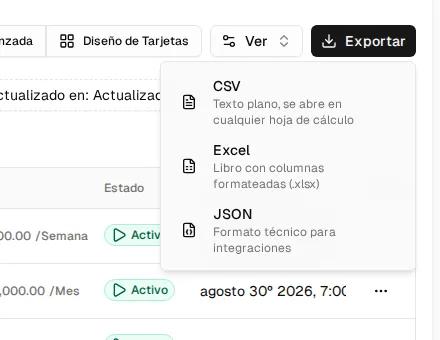
| Format | Extension | Ideal for |
|---|---|---|
| CSV | .csv | Opening in any spreadsheet or importing into other tools. |
| Excel | .xlsx | Working in spreadsheets, with formatted columns. |
| JSON | .json | Integrations and technical use. |
The Excel file includes a section at the end with the export information (total records, filters applied and date).
You can also export just some rows: select them and use Export in the selection bar.