

WhatsApp Agent
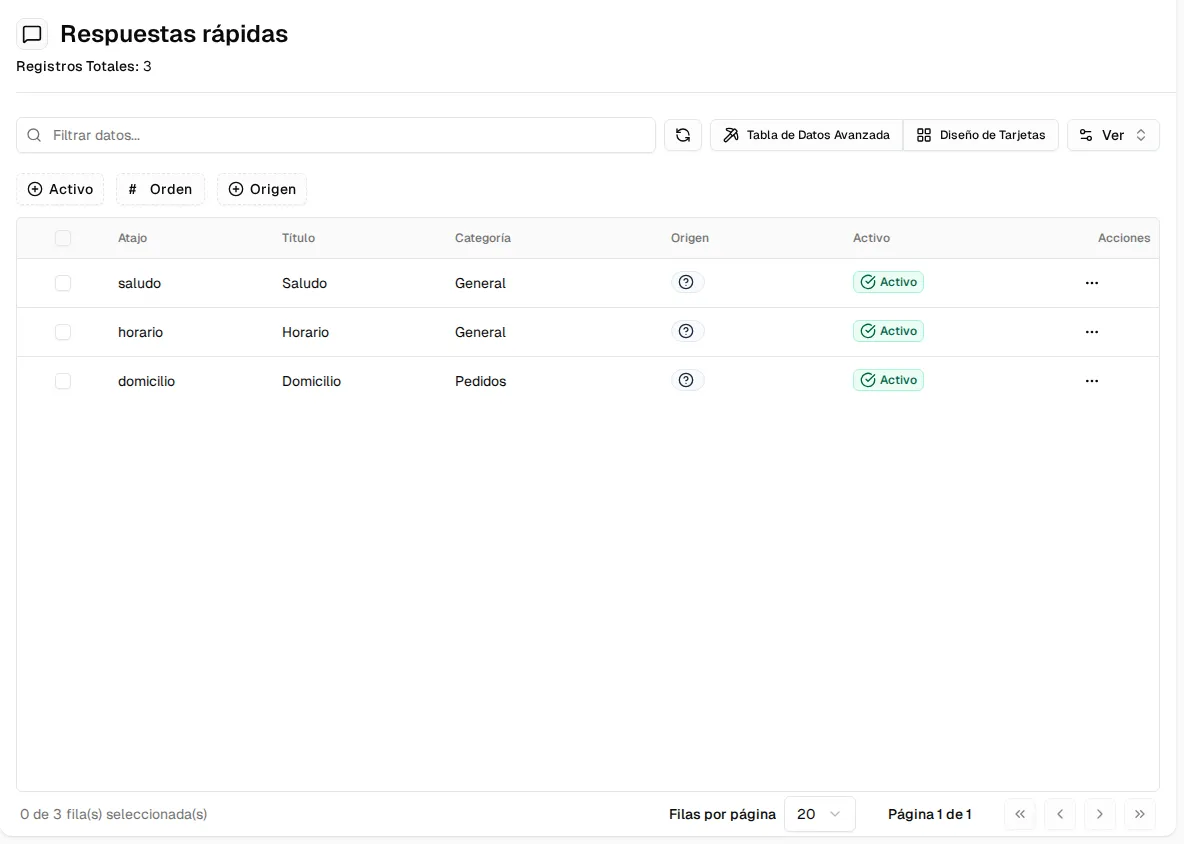
Quick replies
Saved texts your team inserts in the console by typing "/" — with variables, attachments and already-configured data.
Quick replies are messages your team writes once and reuses in the
console: the greeting, the opening hours, how
to pay, the delivery zones. They are managed in WhatsApp Agent → Quick replies
(you need manage:wa-settings).
Using them in the console
Section titled “Using them in the console”In a thread’s text box, type /: the palette opens with your replies grouped by
category. Keep typing the shortcut to filter (for example /hor) and pick one. You can
also open the palette with the Quick replies button in the text box and search by
name.
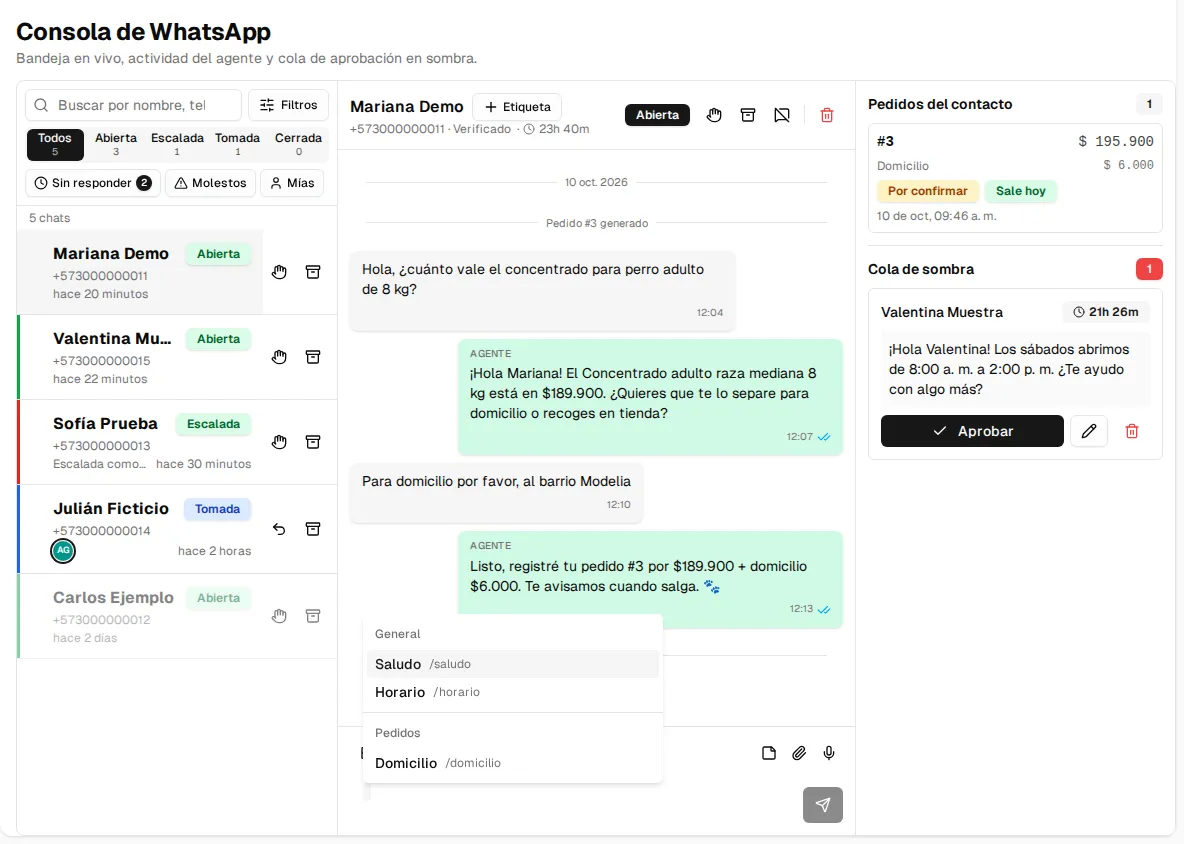
If the reply has an attachment, it is sent with its text as the file’s caption.
Creating a quick reply
Section titled “Creating a quick reply”Create opens the form, in three sections:
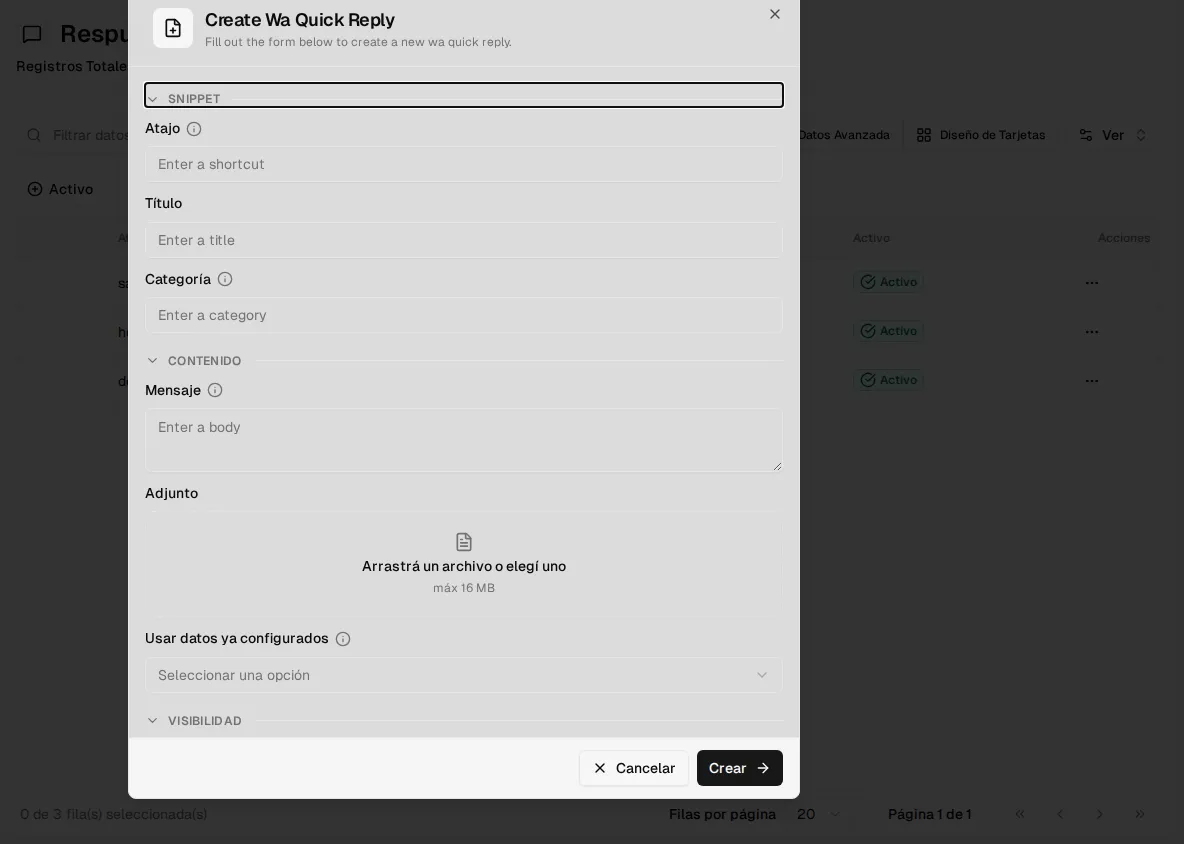
| Field | What it is |
|---|---|
| Shortcut | What is typed after /, with no spaces (e.g. horario). |
| Title | How it appears in the palette. |
| Category | Groups the palette (e.g. Payments, Shipping, General). |
| Message | The text. It supports the variables {{nombre}} (name), {{telefono}} (phone), {{negocio}} (business) and {{asesor}} (advisor), which are replaced when inserted. |
| Attachment | An image, PDF or video of up to 16 MB that travels with the message. |
| Use already-configured data | If you choose an option, the message and attachment come from your settings and the Message field is ignored (see below). |
| Active and Order | Whether it appears in the palette and in which position. |
Replies with already-configured data
Section titled “Replies with already-configured data”Two replies can build themselves from your settings, so they never go out of date:
- Payment QR: sends the QR image and the account details you loaded in Orders and delivery.
- Delivery zones: sends the list of zones, rates and delivery times from that same tab.