

WhatsApp Agent
WhatsApp campaigns
Sends to several contacts with Meta-approved templates — preview, consent declaration, scheduling and anti-blocking protections.
Campaigns let you start a conversation with several contacts at once using a Meta-approved template (a reminder, a piece of news, an invitation). The whole flow is designed to protect your number: WhatsApp blocks businesses that send unwanted messages, so the limits cannot be bypassed.
They are managed in WhatsApp Agent → Campaigns (you need manage:wa-settings).
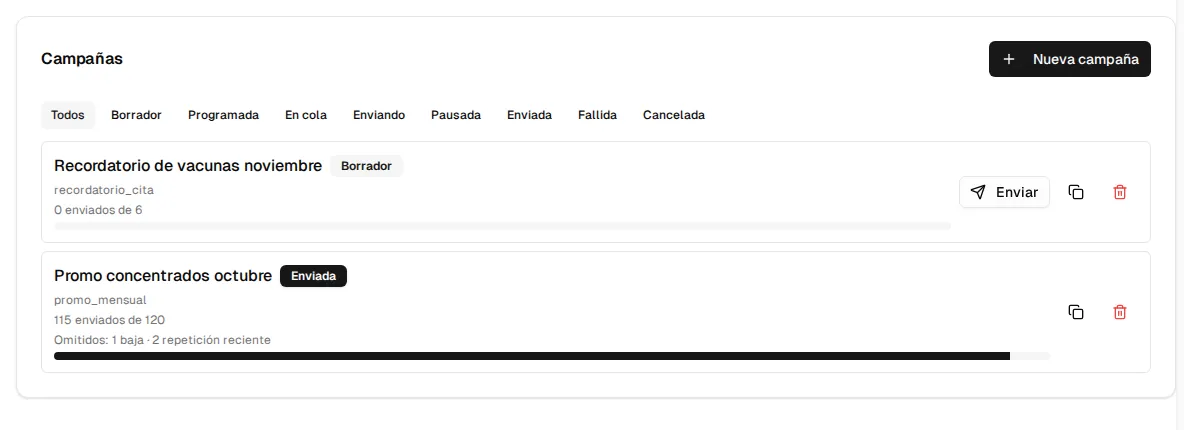
Creating a campaign
Section titled “Creating a campaign”New campaign opens the form:
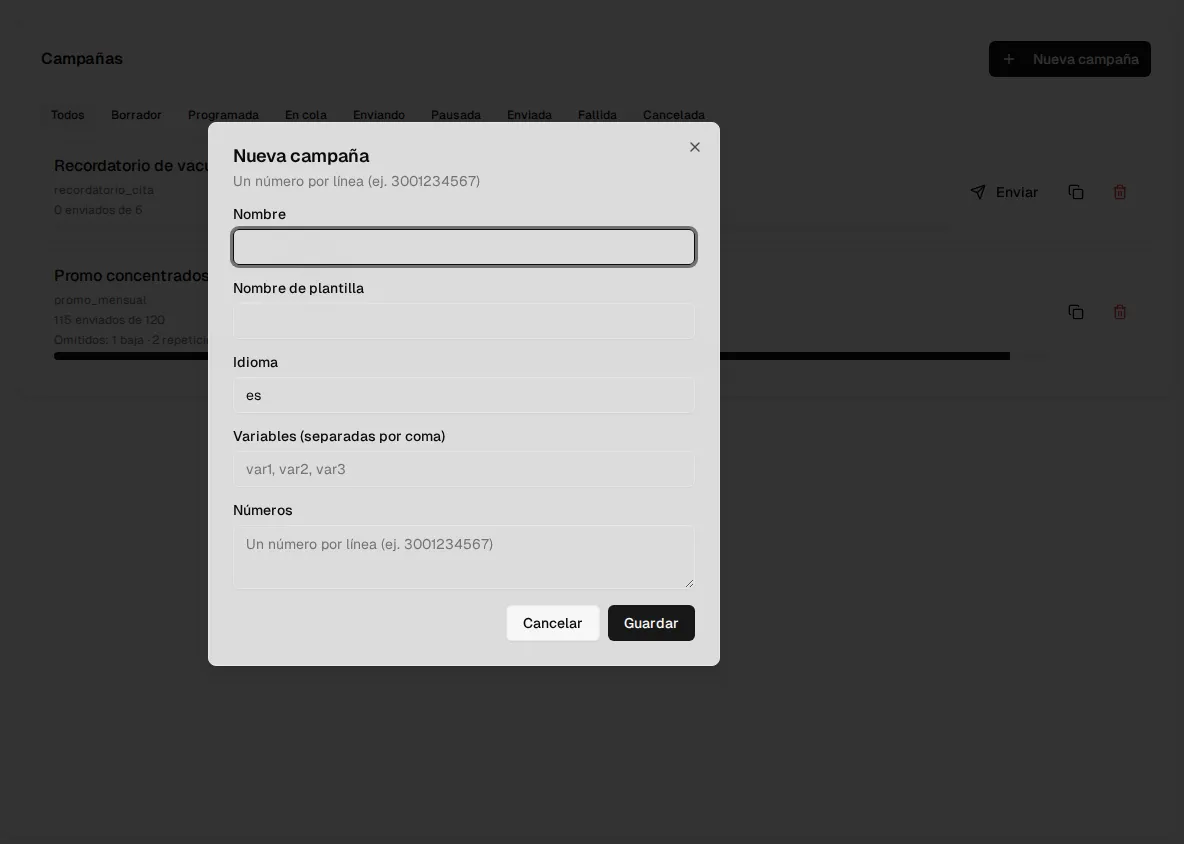
| Field | What it is |
|---|---|
| Name | To recognize it in the list. |
| Template name | The exact name of an approved template on your number. Look it up in Templates. |
| Language | The template’s language code (es by default). |
| Variables | The values of the template body’s variables, comma-separated, in order. They are the same for all recipients. |
| Phone numbers | One number per line (e.g. 3001234567). They are normalized to international format and invalid ones are discarded. |
When you save, the campaign is a Draft. From the list you can clone a campaign (it creates a new draft with the same data, without its results) or delete it.
Sending or scheduling
Section titled “Sending or scheduling”A draft’s Send button opens the send confirmation:
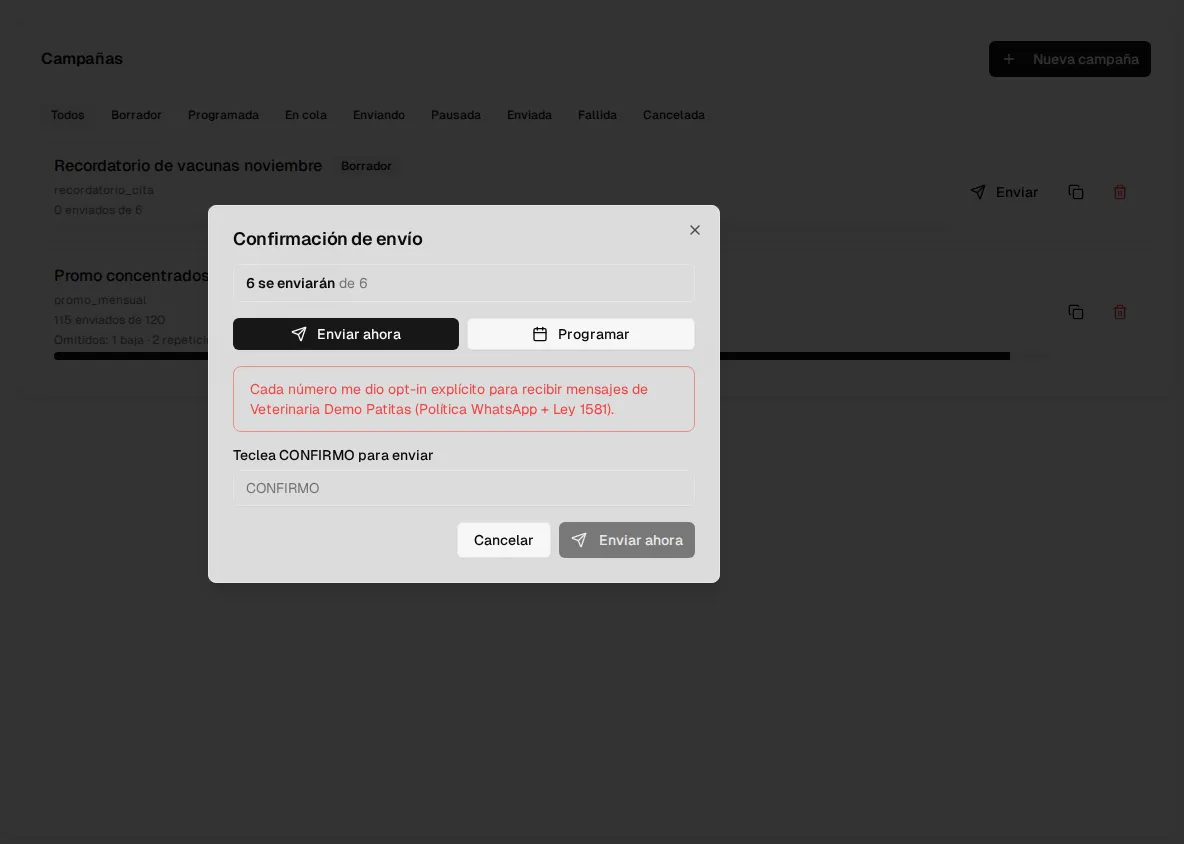
- Preview: at the top you see how many messages will go out and how many will be skipped due to opt-out (the contact wrote BAJA) or recent repetition (they got another campaign recently). The preview neither sends nor saves anything.
- Send now or Schedule: if you schedule, you pick the date and time (it must be in the future). The campaign becomes Scheduled and goes out on its own at that time.
- Consent declaration: you confirm that each number gave you explicit authorization to receive messages from your organization (WhatsApp policy and Law 1581). To send, you type CONFIRMO. Who declared it and when is recorded.
Statuses
Section titled “Statuses”| Status | What it means |
|---|---|
| Draft | Created, not sent. |
| Scheduled | It will go out on the chosen date and time. |
| Queued / Sending | Messages are going out. |
| Paused | It stopped on its own due to too many failures (see below). |
| Sent | Sending finished. |
| Failed | It could not be sent (for example, all recipients were skipped, or when the scheduled time arrived the day’s cap had already been reached). |
| Cancelled | It was stopped before finishing. |
Each campaign shows how many messages were sent out of the total, a progress bar and the contacts skipped due to opt-out and recent repetition.
Anti-blocking protections (automatic)
Section titled “Anti-blocking protections (automatic)”| Protection | How it works |
|---|---|
| Maximum 50 numbers per campaign | A larger campaign is not sent. Split the list into several campaigns. |
| Daily cap | Meta limits how many conversations your number can start per day. While your number’s limit is unknown, a new account’s limit is used: 250 per day. If the campaign would exceed the day’s cap, it does not go out. |
| Sending pace | Messages go out spaced (one every 2 seconds), not in a burst. |
| Automatic pause on failures | If more than 20% of sends fail (with at least 20 processed), the campaign pauses on its own: it is the typical sign of a reported number or a problematic template. |
| Recent repetition | A contact does not get another campaign within the cooldown window: 7 days by default, configurable in Escalation (0 disables it). |
| BAJA respected | Anyone who opted out is excluded from every campaign. |