

Roles & permissions
Permissions and API Keys
How permissions are named in Inspow and how to create API Keys for integrations.
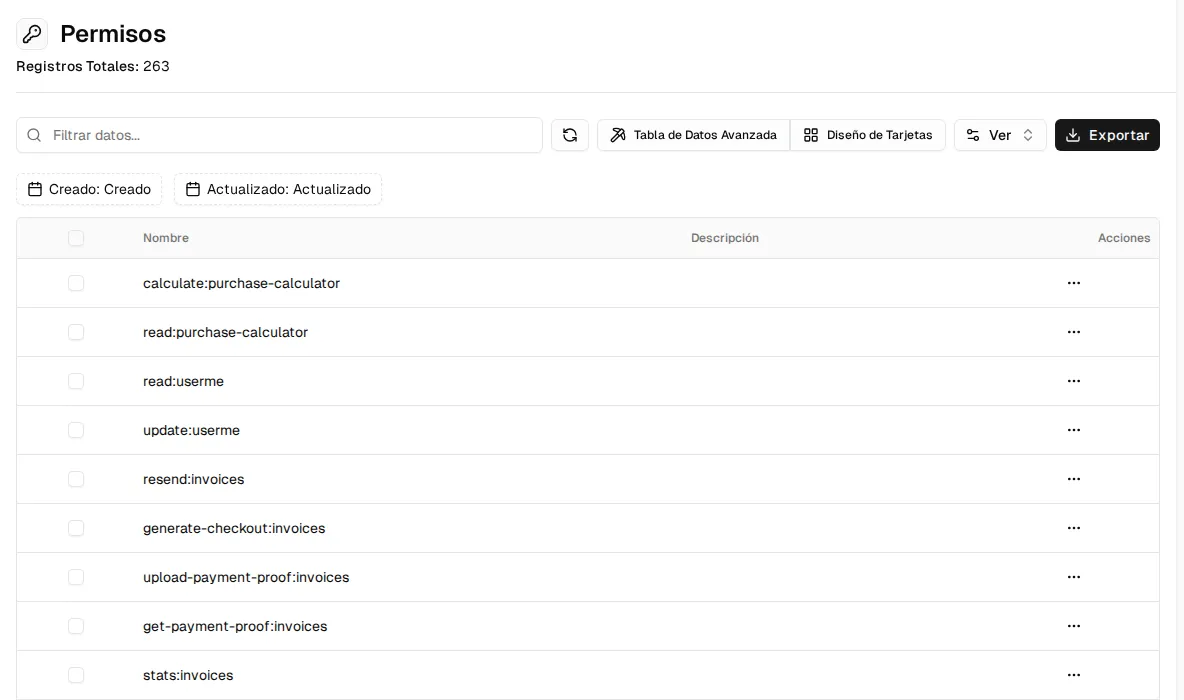
Permissions control specific actions on each resource. They are named
action:resource, in lowercase:
- The four basic actions for each resource:
create,read,updateanddelete(for example,read:invoicesto view invoices). - Special actions, such as
stats:dashboard(view the dashboard),resend:invoices(resend invoices),cancel:subscriptions(cancel subscriptions),upload-payment-proof:invoices(upload payment proofs) ormanage:onboarding(configure the online sign-up).
In the Permissions menu you see the full catalog. It is read-only: permissions are not assigned one by one to people; instead, they are grouped into roles. To see what a specific person can do, open their user and review their effective permissions.
API Keys
Section titled “API Keys”To connect other systems to Inspow, create an API Key in the Api Keys menu → Create Api Key:
- Name and Description.
- Scopes: what the key can do (
read_only,write_only,read_write,adminordevicefor access devices). - Status, Allowed Origins and Allowed IPs (to restrict where it is used from).
- Expires At and the Rate Limit (requests per hour).
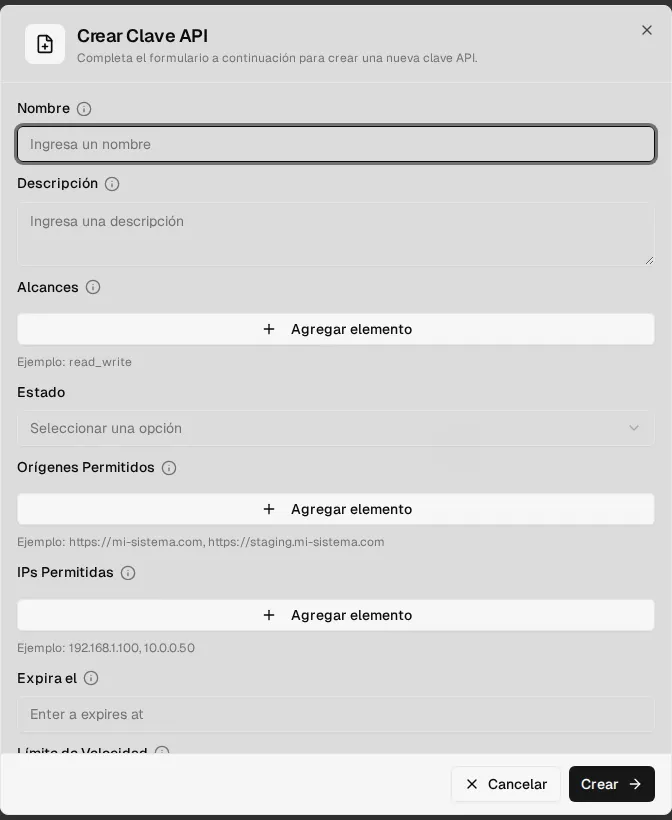
When you create it, the full key is shown only once: copy it and store it in a safe place. Afterwards, the list shows its identifier, status, scopes, expiration, last use and number of uses. See the API documentation to use it.