

Plans & subscriptions
Create a plan
How to create, duplicate, deactivate and archive plans in Inspow — price, frequency, pricing type and included services.
A Plan defines what the service includes and how much it costs. Your clients enroll in a plan through a subscription.
Depending on your sector, the menu calls plans Meal Plans, Plans, Memberships, Programs or Health Plans; the form is the same.
The list
Section titled “The list”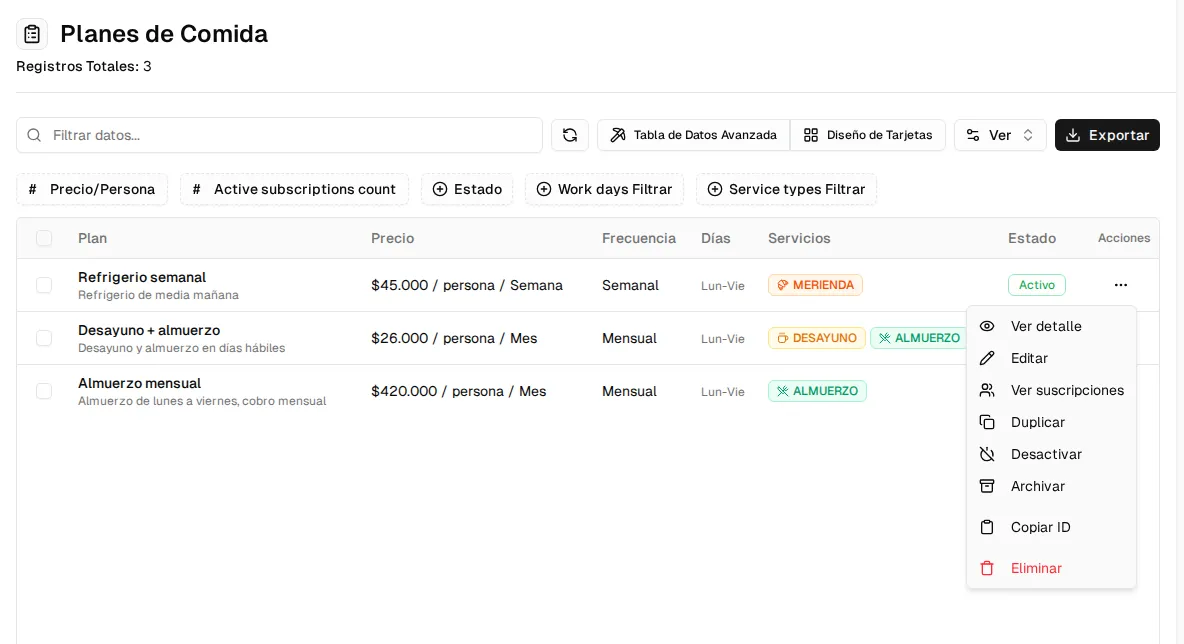
You see each plan with its price per person, frequency, days, services and status. You can filter by Status (by default you see all of them) and by price, days or services.
Plan details
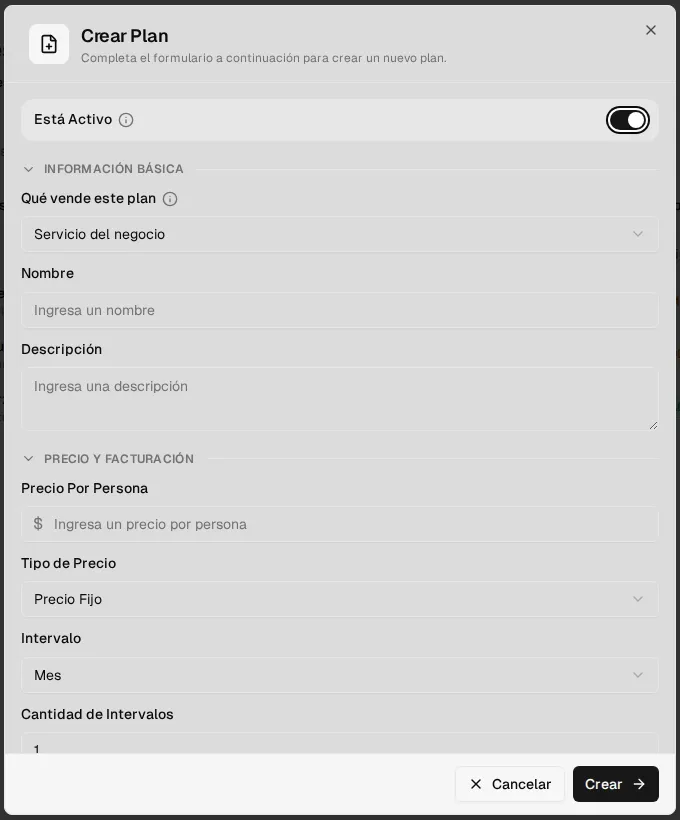
Section titled “Plan details”Click Create Plan. At the top is the Is Active switch. Then:
- Basic information: Name and Description (both required). The name can’t be repeated.
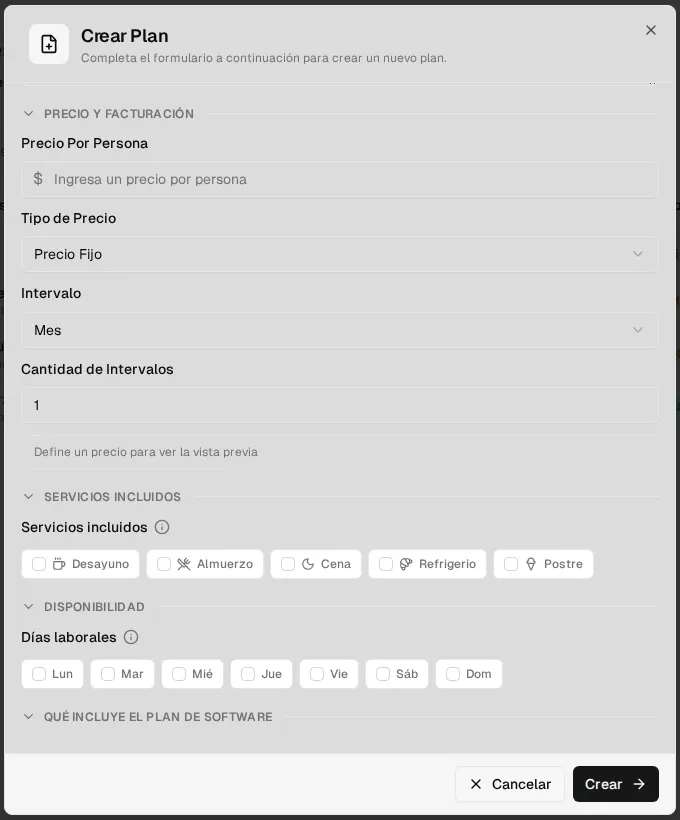
- Price and billing:
- Price Per Person.
- Pricing Type: Fixed Price (the same amount each period) or Per Business Day (the price is multiplied by the business days in the period, not counting holidays).
- Interval: Day, Week, Month or Year, and Interval Count (for example, 2 = every two months).
- A preview of the resulting price.
- Included services: Breakfast, Lunch, Dinner, Snack or Dessert. Check at least one: it determines for which services whoever has the plan can record attendance.
- Availability: the plan’s Working Days (Monday to Friday by default).
Actions on each plan
Section titled “Actions on each plan”From the ⋯ menu on each row:
- View detail and Edit.
- View subscriptions: opens that plan’s subscriptions.
- Duplicate: creates an inactive “(copia)” copy with no subscriptions, ideal for launching a price variant.
- Activate / Deactivate and Archive / Reactivate.
- Copy ID and Delete.
If you select several plans you can Activate, Deactivate, Archive or duplicate them at once.
| Status | Meaning |
|---|---|
| Active | Available for new subscriptions and in the online sign-up. |
| Inactive | Paused: it is no longer offered in the online sign-up. |
| Archived | Removed from the catalog; it is kept with its history. |
Edit plans
Section titled “Edit plans”You can edit an existing plan. Subscriptions that were already created keep the billing frequency they had when they were created; review price changes carefully before saving.