

Communication
Notifications
The channels Inspow uses to notify your users, per-event preferences and the notification bell.
Inspow notifies each User when something relevant happens: a new or paid invoice, a payment proof under review, an attendance record, a message from the WhatsApp agent that needs a person. Each notification arrives through one or more Notification Channels and stays in the platform’s bell.
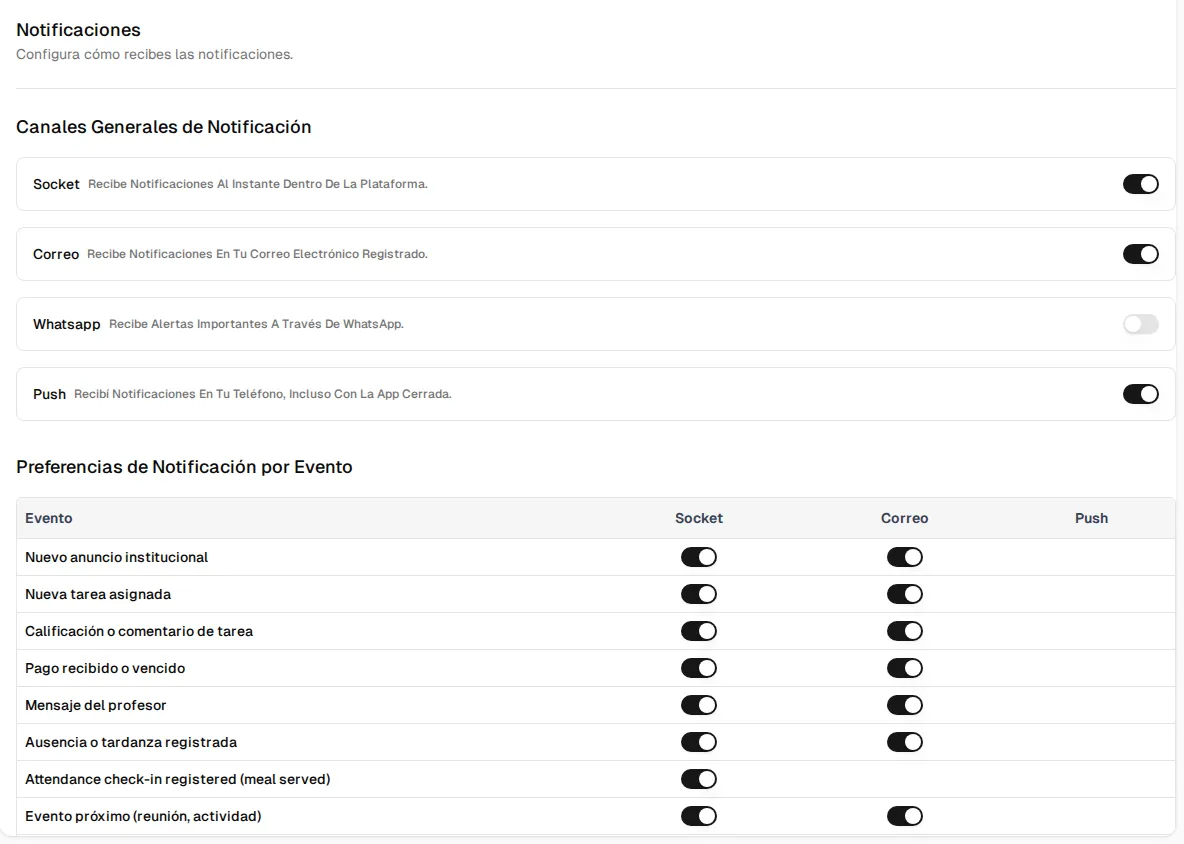
Notification Channels
Section titled “Notification Channels”| Channel | On screen | Description | Default |
|---|---|---|---|
| Platform (real time) | Socket | Appears inside Inspow instantly, in the bell. | On |
| A message to the User’s email, with your Organization’s branding. | On | ||
| An official WhatsApp template to the User’s mobile number. | Off | ||
| Push | Push | A notification on the phone, even if the app is closed. | On |
Email and WhatsApp only arrive if the User has their email or mobile number on file.
Each user’s preferences
Section titled “Each user’s preferences”Each person configures their own from their user menu → Notifications:
- General Notification Channels: turns each channel completely on or off.
- Notification Preferences by Event: for each type of notification, which channels they want to use.
Click Update Notifications to save.
The bell
Section titled “The bell”The bell icon, next to your name in the side menu, shows your notifications. It has two tabs, All and Archived (the ones already read), and actions to Mark all as read or delete them.
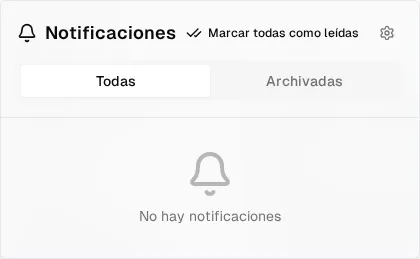
Notifications in the platform are kept for 30 days and are then deleted automatically.
WhatsApp notifications use an approved official template (a general notification in Spanish with the name, the message and a link). Very long messages are trimmed to respect the provider’s limit.