

WhatsApp Agent
Agent metrics
How conversations ended, messages, proposals, response times and CSV export — to measure the agent's operation.
WhatsApp Agent → Statistics summarizes the agent’s operation over the last 7, 30
or 90 days and compares each number with the previous period of equal length (the
arrow and percentage below each value; “new” if the previous period had no data). You
need the read:wa-metrics permission.
How conversations ended
Section titled “How conversations ended”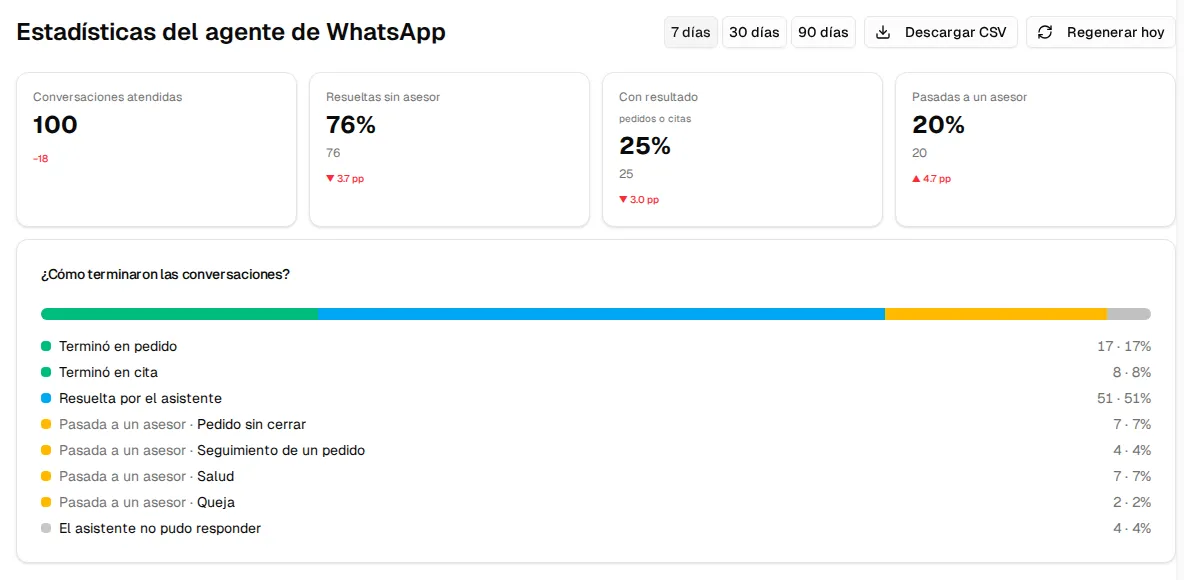
| Indicator | What it counts |
|---|---|
| Conversations handled | Conversations in which the agent replied. |
| Resolved without an agent | The ones the agent closed on its own: they ended in an order, an appointment or were resolved by the assistant. |
| With an outcome | The ones that ended in an order or an appointment. |
| Handed to an agent | The ones the agent escalated to your team (in these labels, “agent” means a human advisor). |
Below, How did conversations end? assigns each conversation a single outcome: ended in an order, ended in an appointment, resolved by the assistant, handed to an agent (with the reason: unclosed order, order follow-up, health, complaint, discount, payment agreement or other) or the assistant couldn’t reply (a technical failure or a limit reached, not a decision of your business).
Messages and proposals
Section titled “Messages and proposals”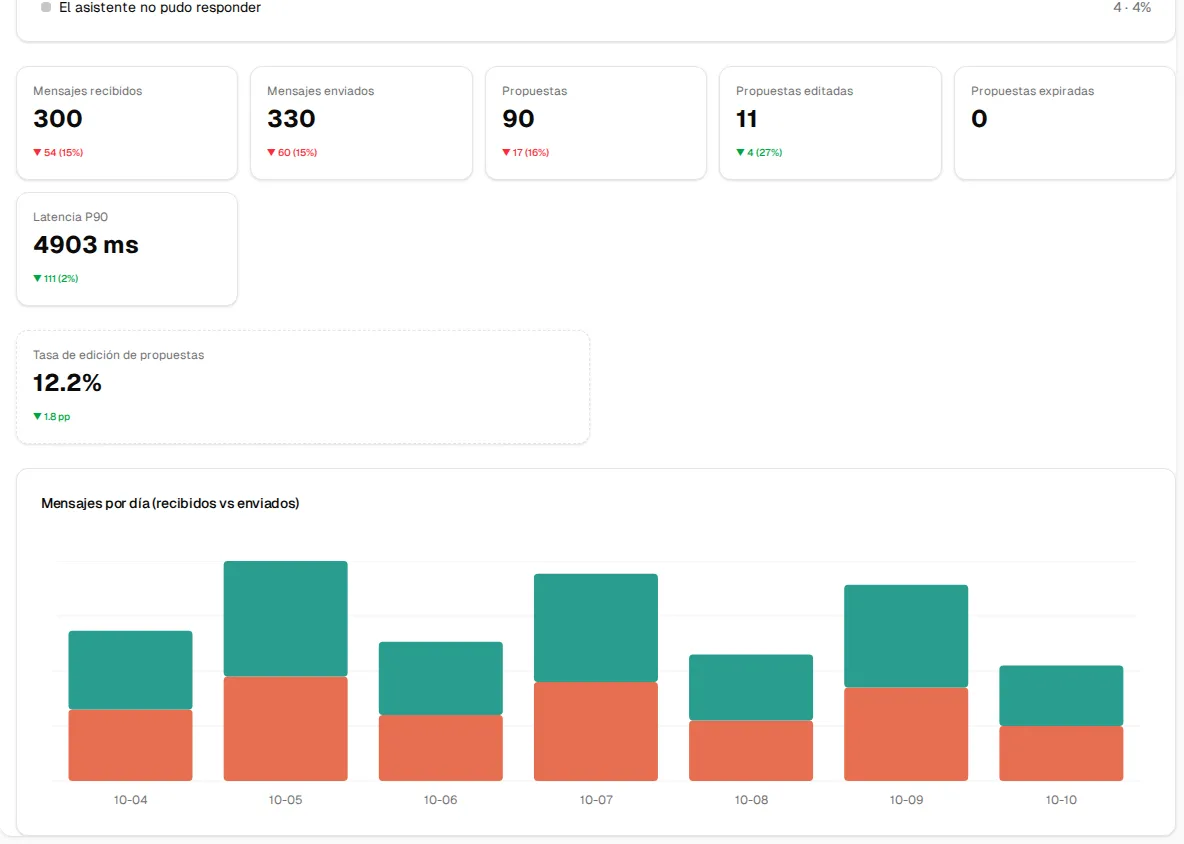
| Metric | What it tells you |
|---|---|
| Inbound / Outbound messages | The volume of the conversation with your customers. The chart shows them day by day. |
| Proposals | Replies the agent prepared in shadow mode for your team to approve. |
| Edited proposals | How many of those proposals your team corrected before sending them. |
| Expired proposals | Proposals nobody reviewed in time (the 24-hour window closed). If they go up, supervision capacity is lacking. |
| P90 latency | The agent’s response time: 9 out of 10 replies took less than this value. |
| Proposal edit rate | Edited proposals over the total. High = the agent does not sound like your business yet. |
Data is consolidated every night. Regenerate today recalculates the current day if you need to see it sooner.
Download CSV
Section titled “Download CSV”Download CSV downloads the period’s daily series (reporte-wa.csv) to work with in
Excel or Google Sheets: date, inbound and outbound messages, agent interventions,
escalations, proposals (total, edited, expired), P90 latency and the conversation
outcomes (handled, resolved without an advisor, with an outcome, handed to an advisor
and couldn’t reply).