Reports
Dashboard and KPIs
Your organization's key indicators on the Inspow Home screen.
The dashboard is the Home screen: it brings together your Organization’s key indicators so you can see at a glance how much you are collecting, how many Subscriptions you have active and what needs attention. It is visible to those with the dashboard statistics permission; a client (guardian or account holder) sees their own summary instead.
Main indicators
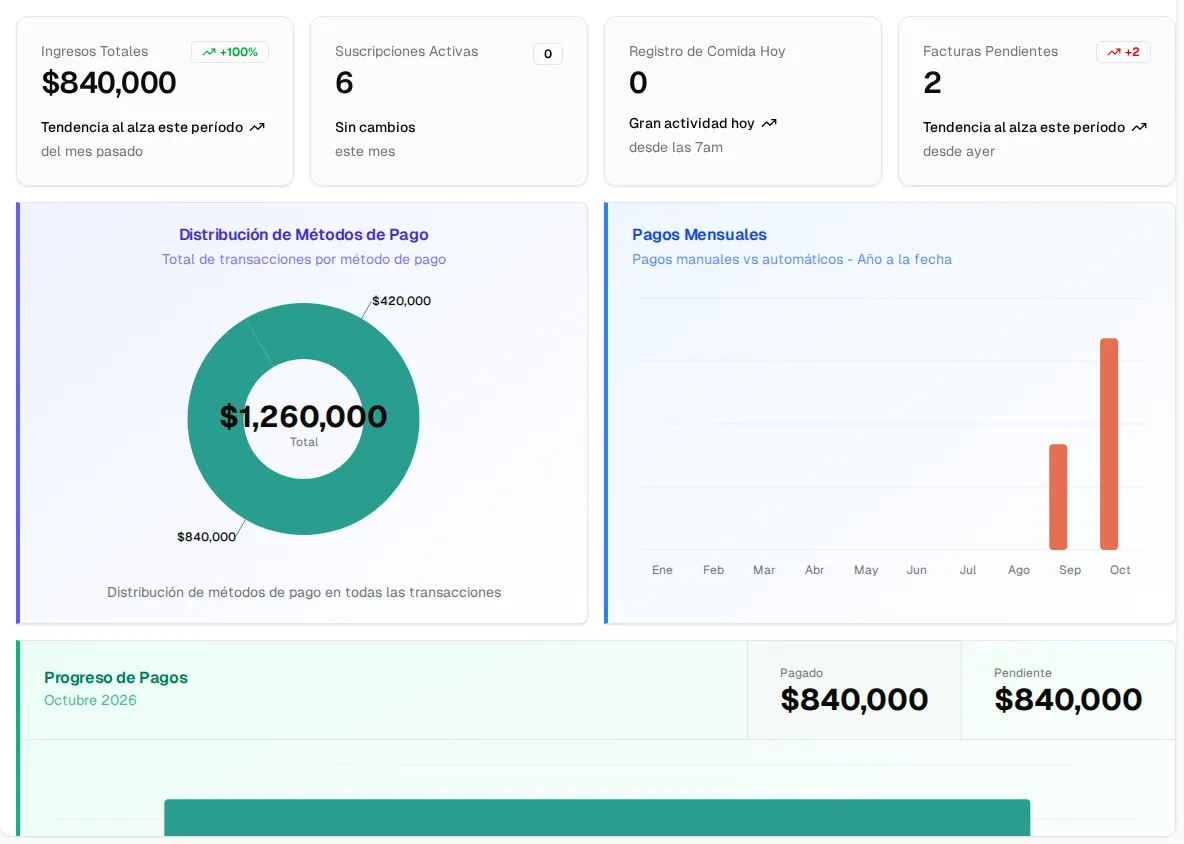
Section titled “Main indicators”- Total Revenue: paid invoices for the month, compared with last month.
- Active Subscriptions: current subscriptions and how many were added this month.
- Today’s records: the day’s attendance records. The name changes depending on your sector (for example, “Meal Record Today”, “Check-in Today” or “Appointment Today”).
- Pending Invoices: how many invoices are uncollected and the change compared with yesterday.
Each card takes you to the corresponding list.
Payment charts
Section titled “Payment charts”- Payment Methods Distribution: paid invoices grouped by how they were collected (card, transfer, other), with the amount for each group.
- Monthly Payments: manual versus automatic (online) payments, year to date.
- Payment Progress: what’s been paid versus what’s pending in the current month.
Activity and upcoming events
Section titled “Activity and upcoming events”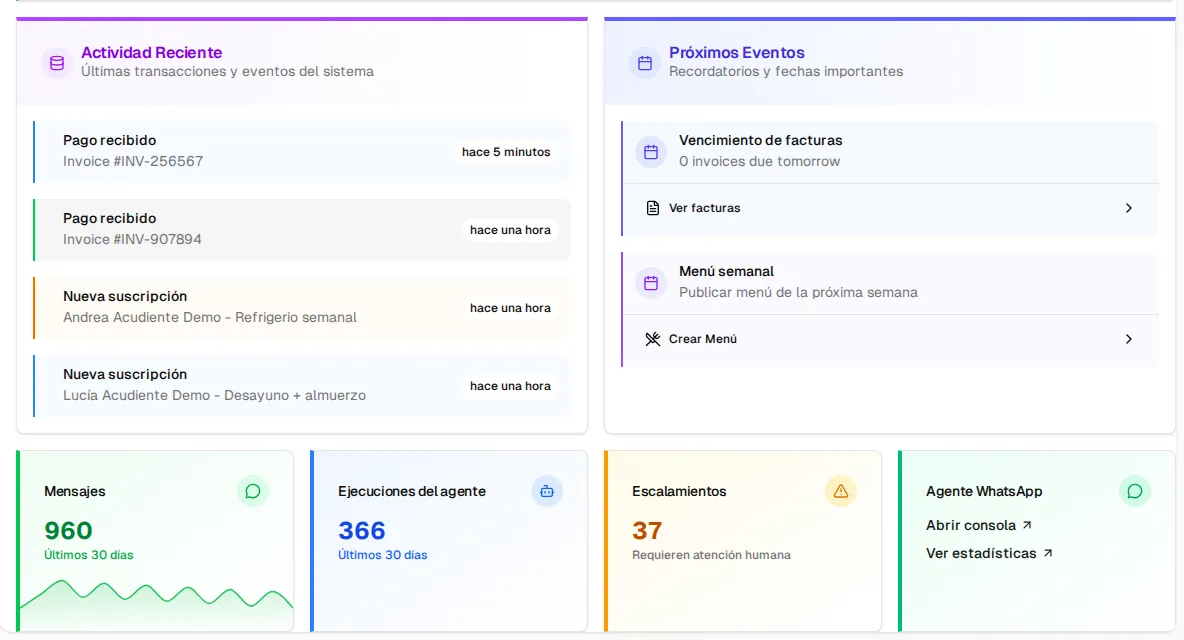
- Recent Activity: the latest payments received and the new subscriptions.
- Upcoming Events: invoices about to fall due, scheduled renewals and the publication of the weekly menu, with shortcuts (View Invoices, Create Menu).
- If you have the WhatsApp Agent: messages, agent runs and escalations from the last 30 days, with shortcuts to the console and the statistics.
Header buttons
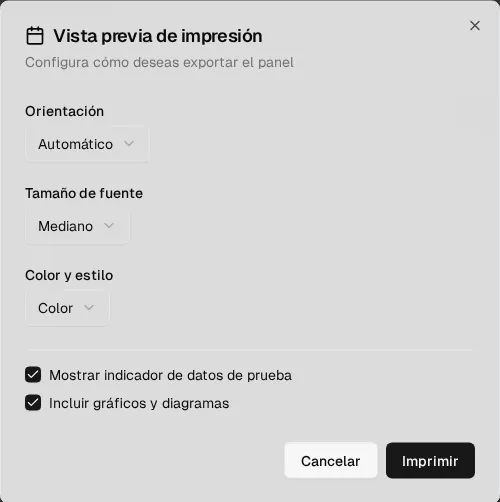
Section titled “Header buttons”At the top right: Refresh, Download and Full screen. Download opens the Print Preview (orientation, font size, color, include charts) and generates the PDF with the browser’s print function.