

WhatsApp Agent
Price list (Products)
The product and service catalog the agent quotes from — how to load it by hand or with the Excel template, and how the agent uses it.
The agent never quotes from memory: every price it gives comes from your Products catalog. It is the same list the Price list, Orders and Appointments tools use, so keeping it up to date is the most important thing for the agent to sell well.
It is managed in the Products module of the menu (you need read:products to see it
and the create, edit or delete product permissions to change it). From
Settings → Knowledge, the
Go to Products button takes you straight there.
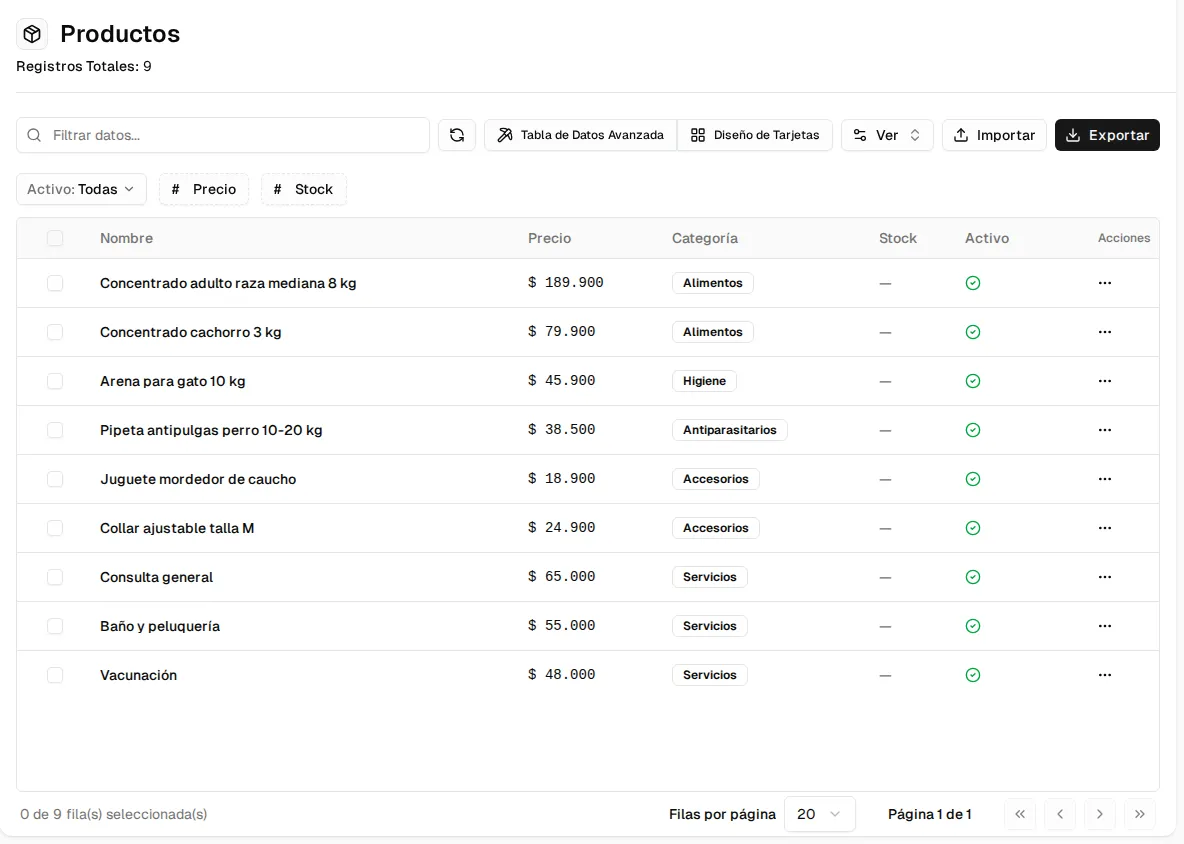
The list shows name, price, category, stock and whether it is active. You can filter by active, price and stock, switch to card layout, and export the catalog.
Creating or editing a product
Section titled “Creating or editing a product”The create product button (top right) or ⋯ → Edit on a row opens the form:
| Field | What it is |
|---|---|
| Name | How the agent searches for it and names it. Use the name your customers ask for it by. |
| Price | In your organization’s currency. |
| Description, Category, Unit | Optional detail (e.g. unit “monthly” or “per person”). |
| Quantity in stock | Empty = you do not track inventory. 0 = out of stock: the agent says it is not available instead of offering it. |
| Product photo | The image the agent can send when the customer asks for it (Send photos/catalog tool). |
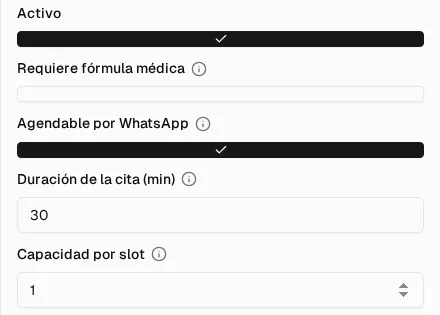
| Active | Inactive products do not exist for the agent. |
| Requires prescription | Marks the products that are only sold with a medical prescription. |
| Bookable via WhatsApp | Turns it into a service the customer can book, with its duration and its capacity per slot. |
Importing from Excel
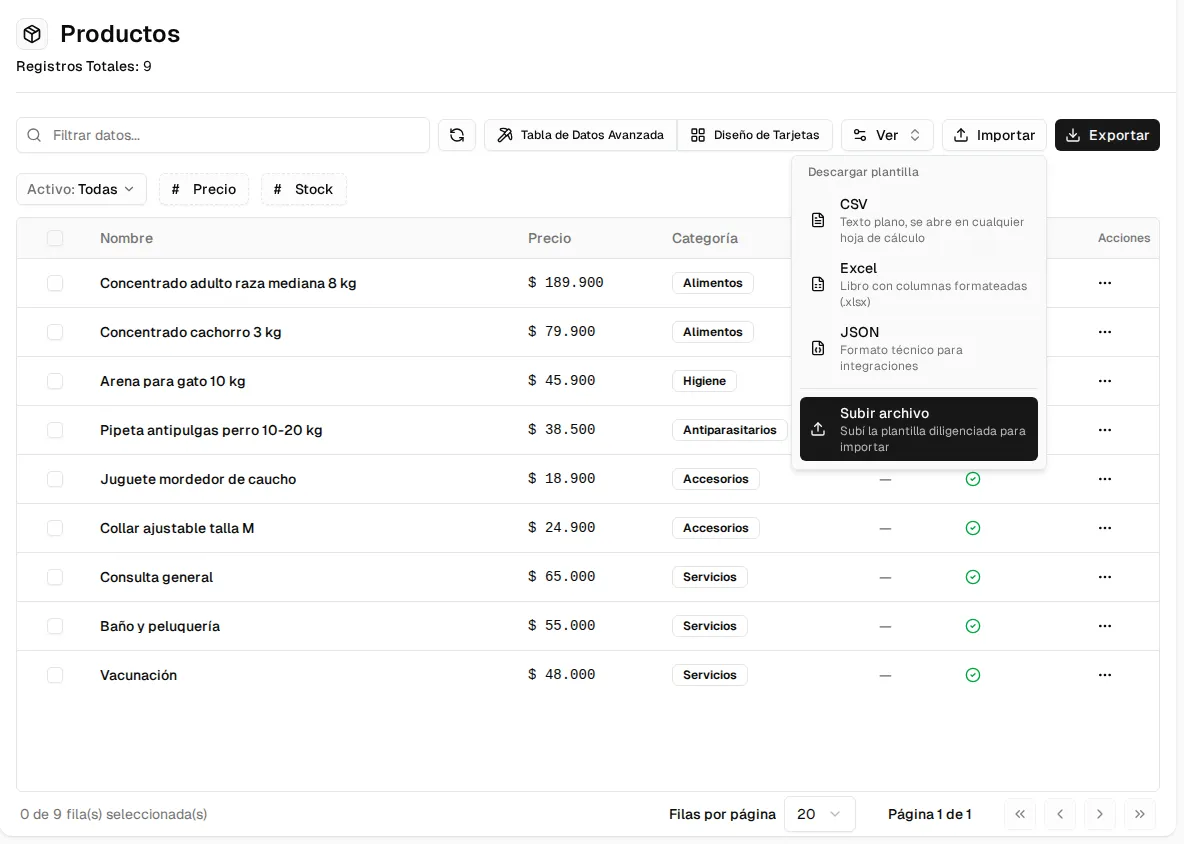
Section titled “Importing from Excel”To load or update the whole catalog at once, use Import:
-
Download the template as Excel (or CSV).
-
Fill it in, one row per product or service:
Column Required Format Nombre (name) Yes Up to 200 characters. Precio (price) Yes 150000or$150.000.Descripción (description) No Up to 500 characters. Categoría (category) No E.g. “Food”, “Services”. Unidad (unit) No E.g. “monthly”, “per person”. Cantidad (quantity) No Integer ≥ 0. Empty = no inventory tracking; 0 = out of stock. Foto (URL) (photo) No A public https://…address of the photo.Requiere Receta (requires prescription) No SI / NO. Agendable (bookable) No SI / NO. Duración (min) (duration) No Integer ≥ 5, for bookable services. -
Go back to Import → Upload file and upload the
.xlsxor.csv(5 MB and 5,000 rows max).
How the agent uses it
Section titled “How the agent uses it”- It searches by name and also by the search synonyms and catalog rules you configure in Knowledge and Behavior (for example, the customer says “kidney” and your catalog says “renal”).
- It gives the current price exactly as it is on the list and, if the product is out of stock, it says so.
- With the Orders tool enabled, it builds the order with these same prices (Orders and delivery).
- If a price is not on the list, the agent does not make it up: it says so and offers to hand over to a person on your team.