

Audit
Audit log
What changes and security events Inspow records, and where to see who created or edited each record.
Inspow automatically keeps a history of changes and security events for your Organization, so you know who did what and when.
Who created it and who edited it
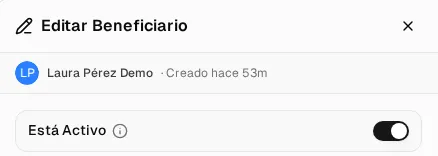
Section titled “Who created it and who edited it”In the edit form of each record (beneficiaries, plans, recipes, menus…) you’ll see at the top who created it or last edited it and when. If it was an automatic process, it shows up as System.
Invoice and subscription history
Section titled “Invoice and subscription history”Changes to Invoices and Subscriptions are recorded in detail: creation, editing (with the previous and new status, and the fields that changed) and deletion, with the person and the exact time.
- For each invoice, you see it in View details → Activity Timeline (see Invoices and payments).
- For each subscription, in View Logs (see Manage subscriptions).
For security, sensitive payment method data is stored masked.
Security events
Section titled “Security events”Inspow also records, with the IP address and the browser:
- Successful and failed sign-ins, and sign-outs.
- Password resets and changes.
- Turning two-factor authentication on or off, and account lockouts.
- Changes to roles or permissions.
- Sign-ins from a new IP.
Sign-in and sign-out records are kept for one year; the rest are not deleted.