

WhatsApp Agent
WhatsApp templates
The Meta-approved templates used by campaigns, reminders and the reactivation of expired conversations.
Outside the 24-hour window, WhatsApp only lets you write to a customer with a
Meta-approved template. In WhatsApp Agent → Templates you see your number’s
template catalog (you need manage:wa-settings). Inspow uses them for:
- reactivating an expired conversation from the console,
- campaigns,
- appointment reminders.
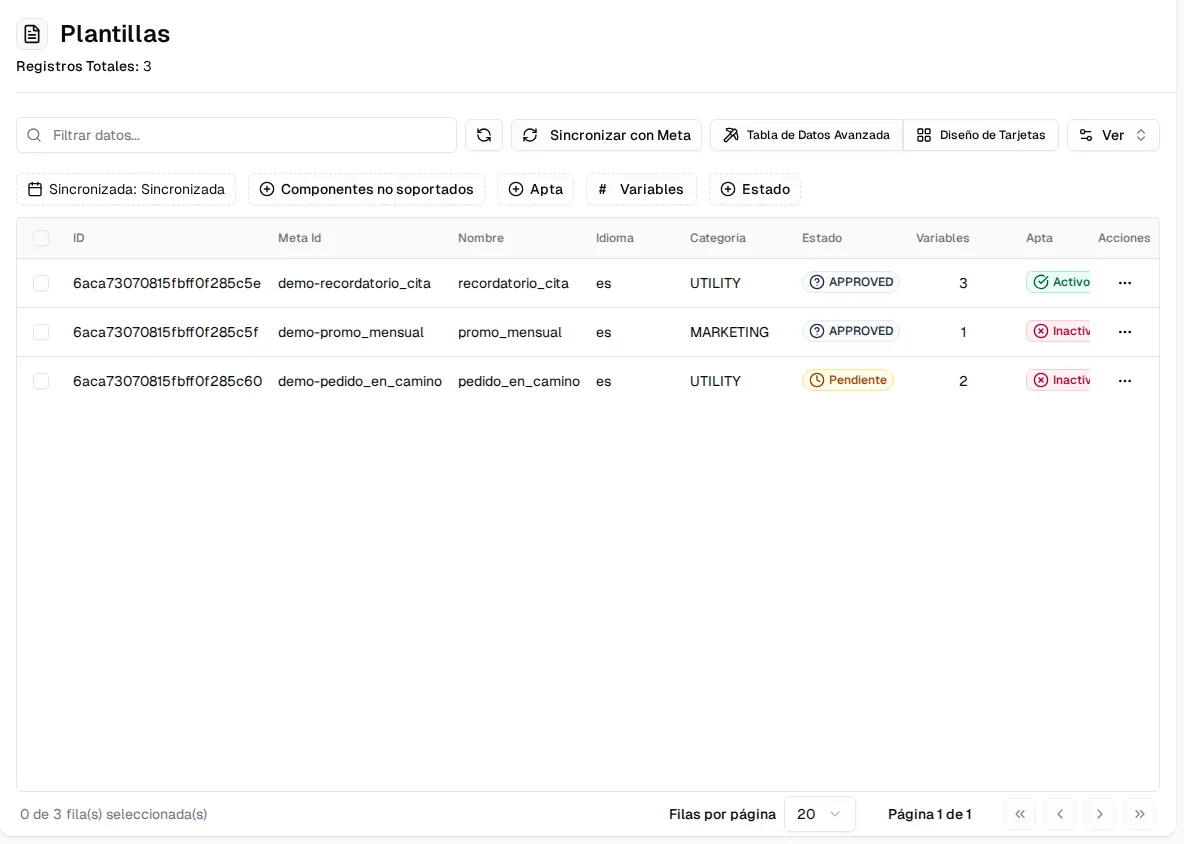
Templates are created in Meta
Section titled “Templates are created in Meta”Inspow does not create or delete templates: they are drafted and submitted for approval in WhatsApp Manager, with your organization’s Meta account. Then, in Inspow, the Sync with Meta button brings in the updated catalog (the screen also syncs on its own when the data is stale).
Each template shows:
| Column | What it is |
|---|---|
| Name and Language | As registered in Meta. |
| Category | UTILITY (service: reminders, order notices) or MARKETING (promotions). |
| Status | The status in Meta: approved, pending, rejected, paused, disabled or deleted. Only approved ones can be sent. |
| Variables | How many placeholders ({{1}}, {{2}}…) must be filled in when sending it. |
| Eligible | Whether your team can use it to reactivate expired conversations. |
Marking a template as eligible for reactivation
Section titled “Marking a template as eligible for reactivation”Open the template from the ⋯ → Edit menu. You see how the customer will receive it and you can try values in its variables (they are neither sent nor saved).
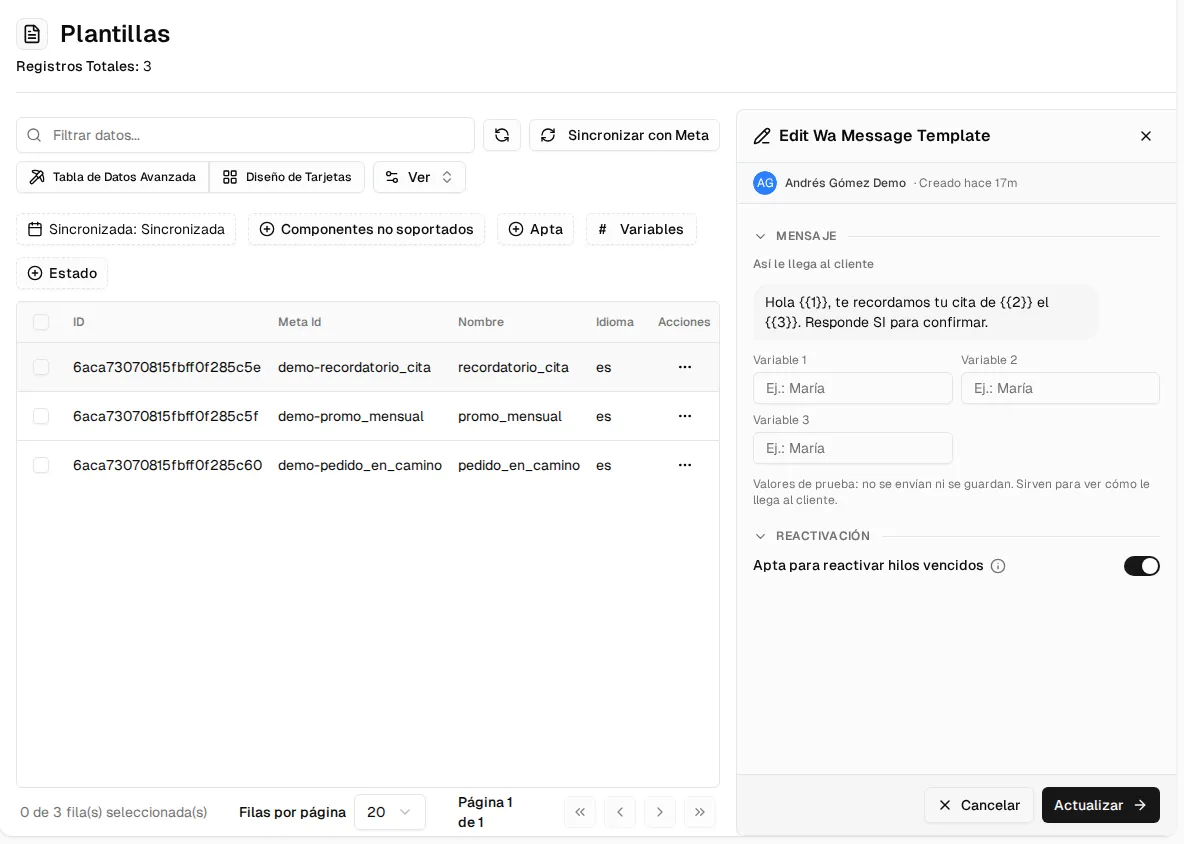
The Eligible to reactivate expired threads switch decides whether the template appears under the console’s Reactivate with template button. It can only be turned on if Meta has it approved and it does not use a header, buttons or a carousel.