

Billing
Invoices and payments
How invoices are generated, sent, collected and tracked in Inspow.
Each period of a subscription generates an
Invoice with a unique code (INV-…). You see them in the Invoices menu.
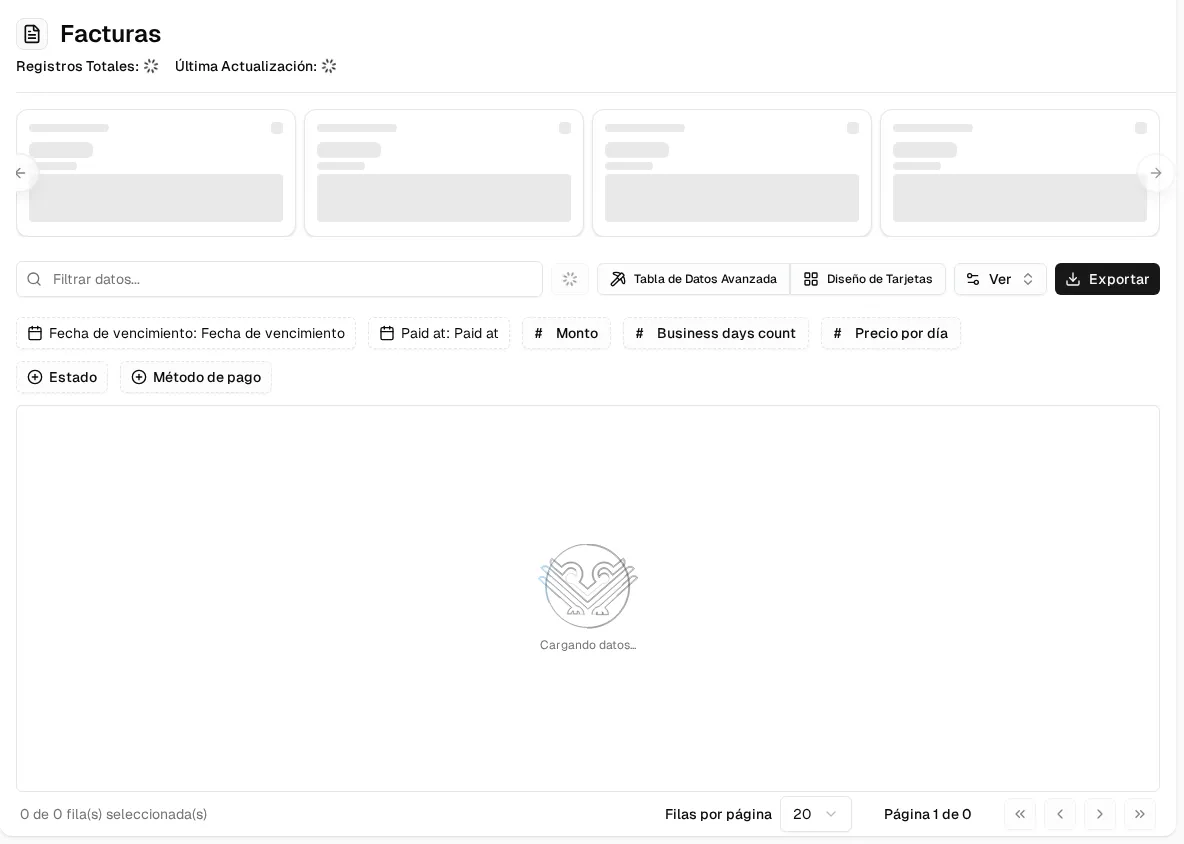
Life cycle of an invoice
Section titled “Life cycle of an invoice”- It is generated: automatically for each period (see Automatic renewal) or by hand with Create Invoice. By default, it is due 15 days after the start of the period.
- It is sent automatically when created: a notice in the platform, an email (if the user has an email) and WhatsApp (if they have a mobile number).
- The client pays online through the payment gateway or uploads a transfer payment proof.
- It ends up in one of these statuses:
| Status | In the table | Meaning |
|---|---|---|
| Pending | Pending | Issued, waiting for payment. |
| Under Review | Review | It has a proof that your team must approve or reject. |
| Paid | Paid | Payment confirmed. |
| Failed | Failed | The gateway rejected the payment. |
“Overdue” is not a separate status: it is a pending invoice whose due date has already passed. The table shows it as “N days late” and the Overdue Invoices card counts them.
On per business day plans, the amount is calculated with the business days in the period, not counting holidays.
Actions
Section titled “Actions”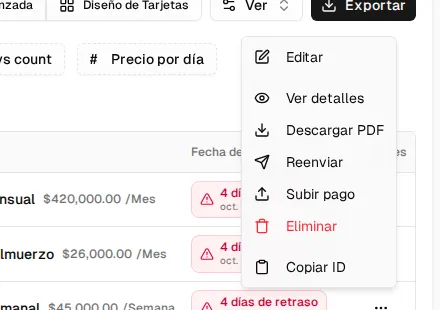
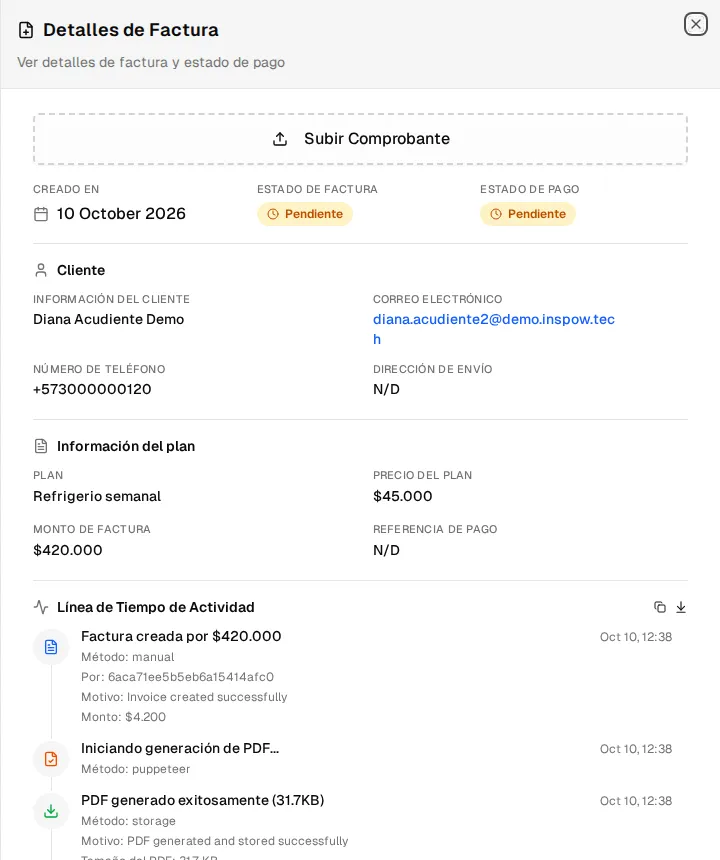
- View details: opens the panel with the client, the plan, the invoice and payment statuses, and the Activity Timeline (everything that happened to the invoice).
- Download PDF.
- Pay with Wompi: generates the payment link (only on pending invoices and if your organization has the gateway active).
- Resend: sends the invoice to the client again through the platform, email and WhatsApp.
- Upload payment: attaches a proof on the client’s behalf (only on pending invoices).
- View voucher: review and approve or reject a proof (see Payment proofs).
Automatic reminders
Section titled “Automatic reminders”While an invoice is pending, Inspow reminds the client:
- Before the due date: by default 5 and 2 days before (at 3:00 p.m., Colombia time).
- When it becomes overdue: a single overdue invoice notice (at 9:00 a.m.).
Invoices under review or failed don’t receive reminders. The reminder days are configured by the Inspow team for your organization.