

Attendance
Holidays and calendar
Manage your organization's holidays and their effect on billing by business days.
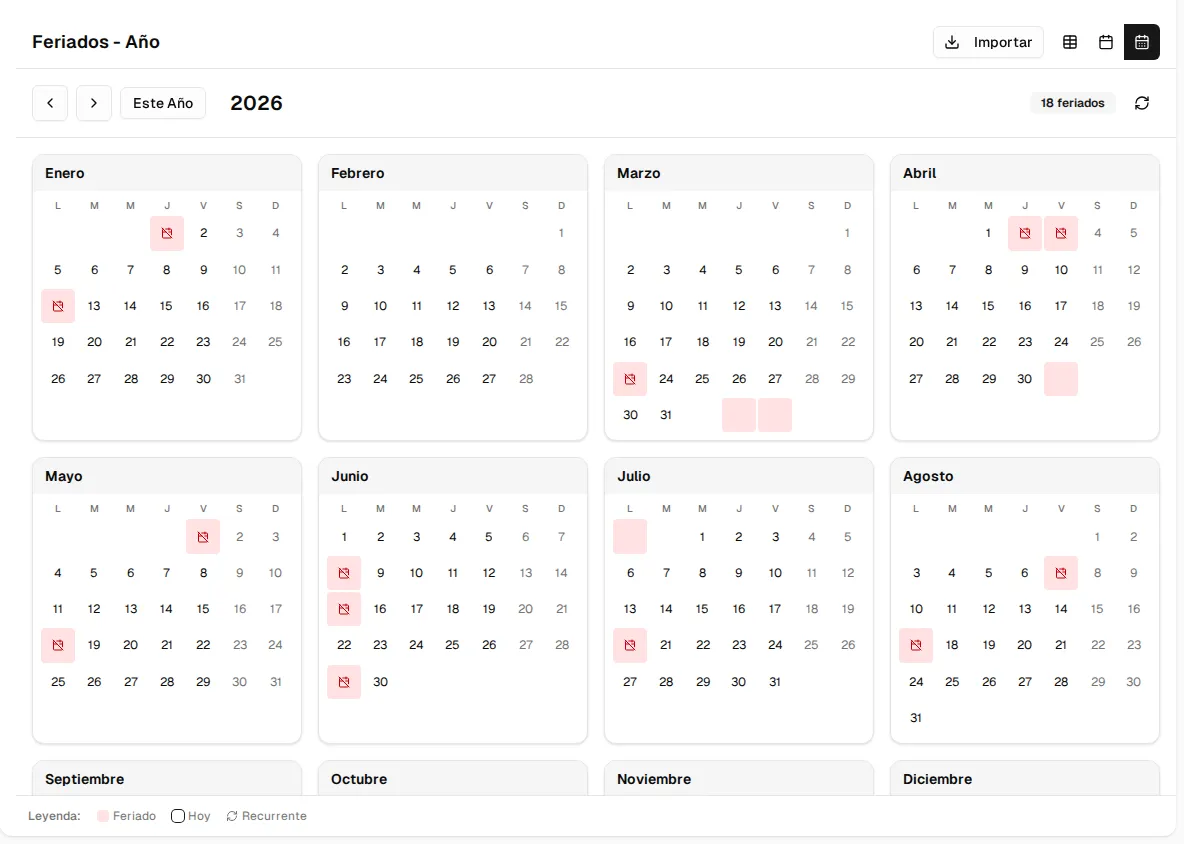
The holiday calendar records your Organization’s non-working days. You’ll find it in the Holidays menu (sectors with a food service).
Views and loading
Section titled “Views and loading”- Year view, Month view and Table view (buttons at the top right). The legend distinguishes Fixed holidays from Recurring ones.
- Create Holiday: add one by hand.
- Import: brings in a country’s public holidays for a year (for example, Colombia 2026) in a single step. Those that already exist are skipped.
Holiday details
Section titled “Holiday details”| Field | Description |
|---|---|
| Name | Required, up to 120 characters (for example, “Independence Day”). |
| Date | Required. |
| Description | Optional, up to 500 characters. |
| Repeats every year? | If you turn it on, the holiday repeats every year on the same day and month. It is off by default. |
| Active | Whether the holiday is in effect. On by default. |
What they are used for
Section titled “What they are used for”Active holidays are subtracted from the business days in the billing of per business day plans: the amount of a period’s invoice is calculated without counting those days (see Create a plan). Fixed price plans don’t change.
If you delete a holiday it no longer applies; if you only deactivate it, it is kept but is no longer subtracted.