

Attendance
Access control and attendance
Record attendance with the QR scanner or manually, and learn about the validations and recording methods.
Access control records the attendance of each Beneficiary (or member) when they use your service. Each check-in is saved as an Attendance Record linked to their Subscription, with the service type, the date and time and the method used. That way you know who came, you verify that they were entitled to the service and you feed the attendance reports.
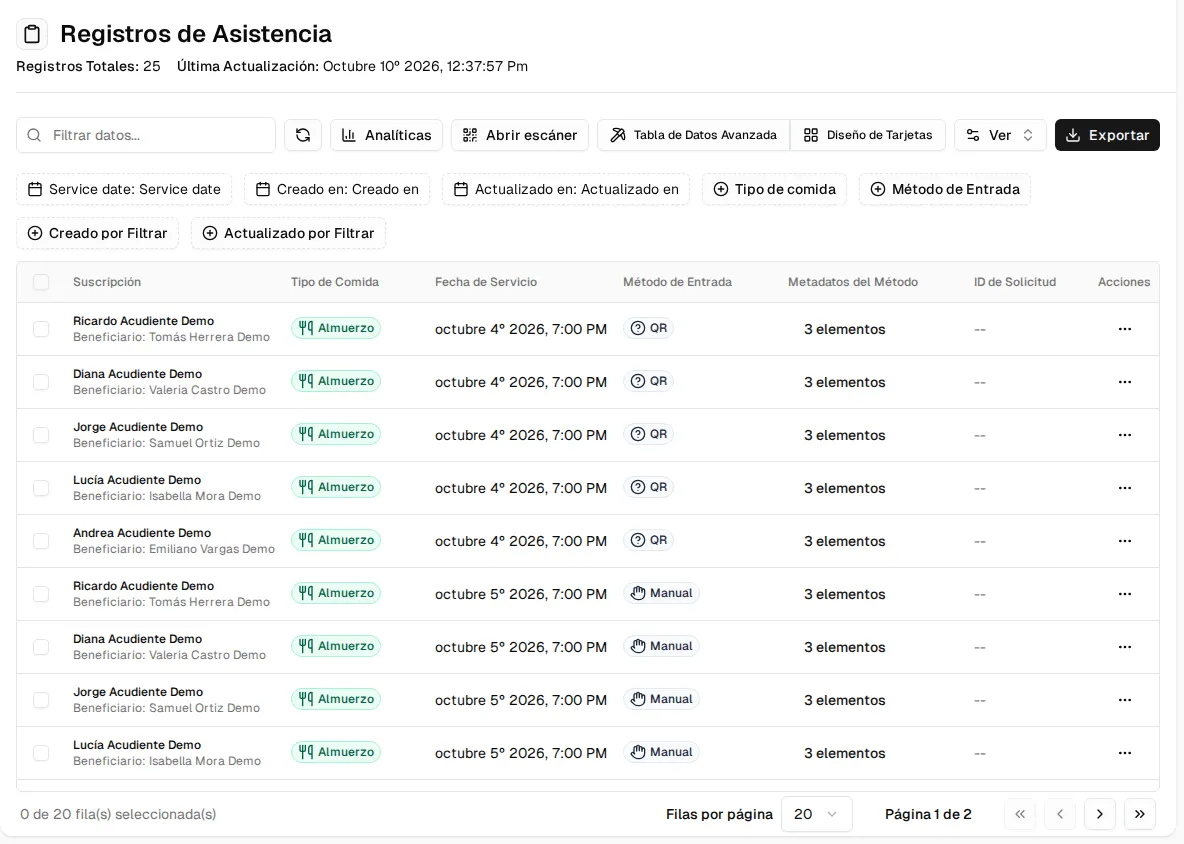
You’ll find it in the Attendance Records menu: the list of records, with the Analytics and Open Scanner buttons.
The scanner
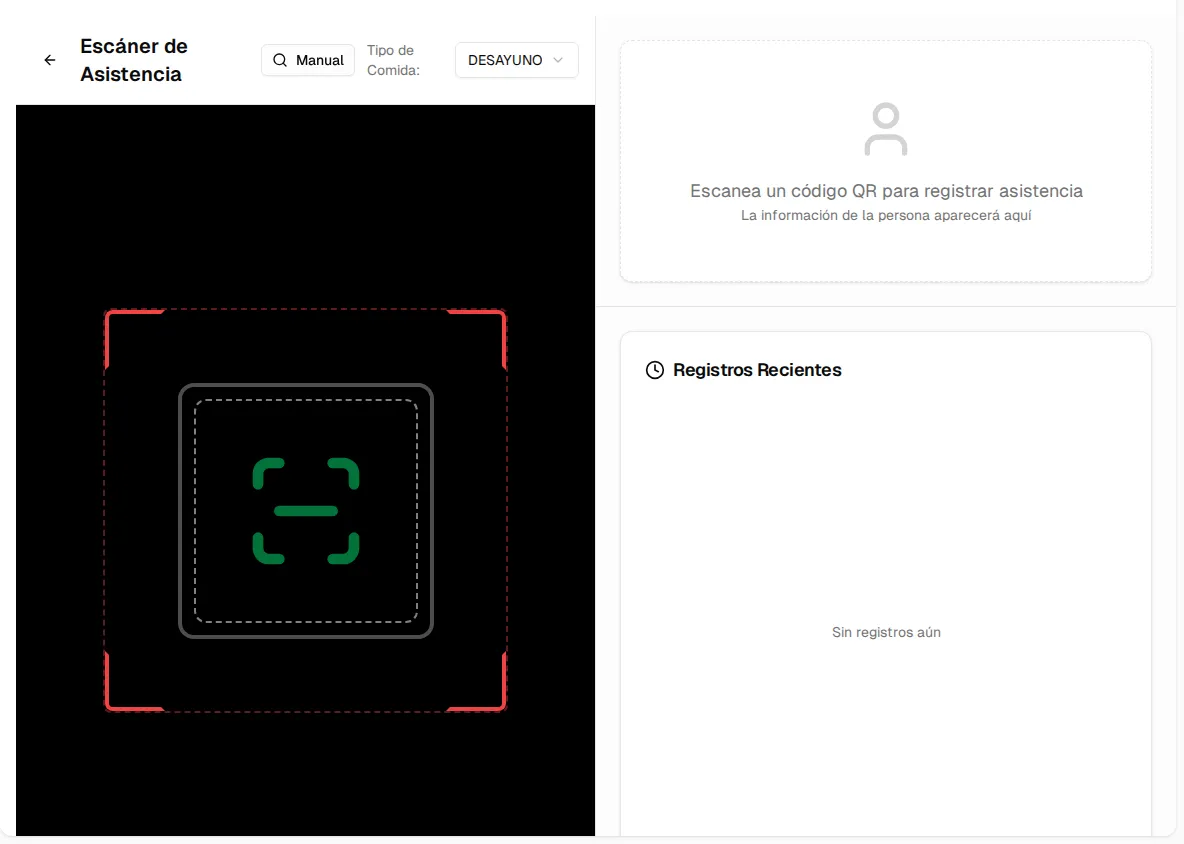
Section titled “The scanner”Open Scanner turns the computer or tablet into a checkpoint:
- Choose the service type at the top (in sectors with a food service, the meal type: breakfast, lunch…).
- The person shows their QR Code (the one for their subscription, see Manage subscriptions) to the camera. The scanner also reads barcodes.
- The result appears on the right and is added to Recent Registrations.
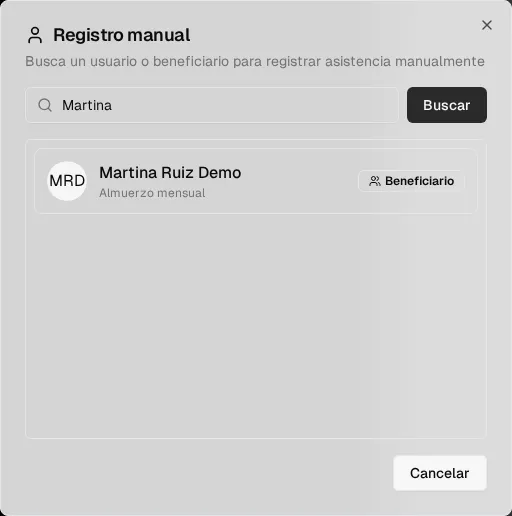
If the person doesn’t have their code, click Manual, search for them by name or email and select them:
Validations
Section titled “Validations”Before creating the record, Inspow checks that:
- The person has a current Subscription (the date falls between its start and its end) whose plan includes that service type.
- There isn’t already a record on that same day for that subscription and that service type (this prevents duplicates).
- In sectors with a food service, there is a Meal Menu published for that date and that meal type.
If something fails, the scanner shows the reason in red.
When the record is created, the guardian or account holder receives a notice in the platform (according to their notification preferences).
Recording methods
Section titled “Recording methods”| Method | How it is used |
|---|---|
| QR | From the scanner, with the camera (also for barcodes). |
| MANUAL | From the scanner’s Manual button, or by creating the record by hand in the list. |
| BARCODE, NFC, FACE | From connected access devices (readers, kiosks) or API integrations. |
Each method saves its technical data (QR content, device, location…), which makes later audits easier.
Depending on your sector
Section titled “Depending on your sector”The record’s service type adapts to your activity:
- Food services and schools: breakfast, lunch, dinner, snack or dessert.
- Gym: gym access, class, personal training, spa or pool.
- Academy: course, workshop, tutoring, certification or exam.
- Club: club access, facility booking, event or member benefit.
- Coworking: desk, meeting room, event space, locker or parking.
- Clinic: consultation, therapy session, check-up, treatment or wellness plan.