

Account & notifications
Your profile
How to update your photo, your mobile number and the rest of your profile details in Inspow.
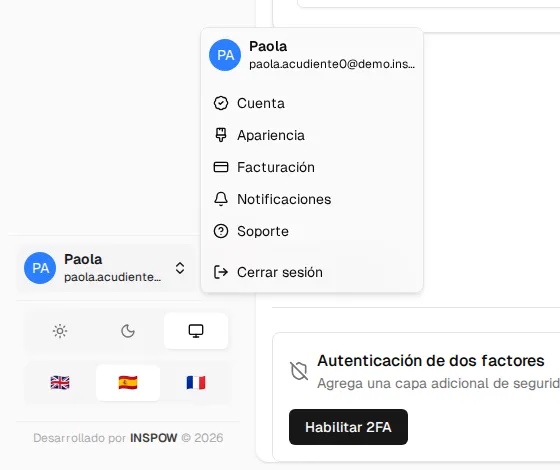
Your profile is in Account: open your user menu (bottom left, with your name) and choose Account. On your phone, go to More and press Account.
What you can change
Section titled “What you can change”| Detail | How |
|---|---|
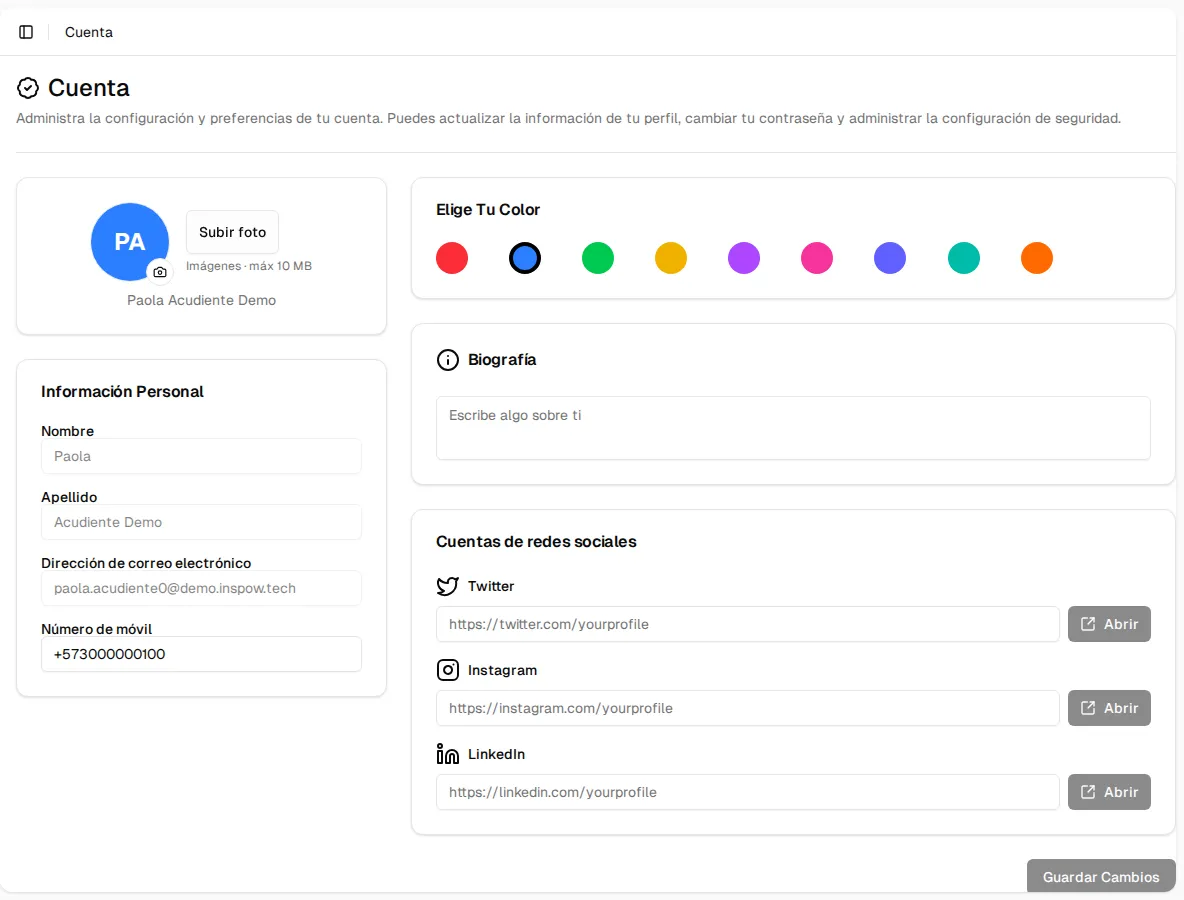
| Photo | Press Upload photo (or the camera icon), choose an image of up to 10 MB and adjust it. If you don’t have a photo, your initials are shown. |
| Mobile number | Type it in Personal Information. Include the country code (for example +57…). |
| Color | In Choose Your Color, the background color of your initials. |
| Bio | A short text about you. |
| Social networks | Links to your Twitter/X, Instagram and LinkedIn profiles. They must be the full profile address (for example https://instagram.com/your_username); the Open button tests them. |
When you change something, Save Changes becomes active. When you save, you’ll see the Profile updated notice.
What you can’t change from here
Section titled “What you can’t change from here”- First name, last name and email appear grayed out: they are managed by your Organization. If they are misspelled, ask the staff to correct them.
- Password: it isn’t changed from the profile. Use Recover your password, which works both if you forgot it and if you just want to change it.
- Allergies and health data of the people in your care: they are part of their Beneficiary profile. You can check them in My beneficiaries; to change them, tell your organization.
Further down, on the same screen, is the Security section, where you turn on two-step verification.
Appearance and language
Section titled “Appearance and language”- Light, dark or system theme: with the sun, moon and screen buttons, at the bottom left (on your phone, in More).
- Language (English, Spanish or French): with the flags, in the same place.