

Attendance & menus
Register attendance
How attendance is registered in Inspow with the beneficiary's QR code, NFC or other methods.
Every time you —or a beneficiary in your care— use the service, Inspow creates an Attendance Record. It is registered by your organization’s staff at the entrance (or in the dining hall), usually by scanning a QR code.
Show the QR code
Section titled “Show the QR code”Each active subscription has a QR code with the beneficiary’s name. To see it:
- In the menu, go to Subscriptions.
- On the active subscription, open the ⋯ menu and press View QR Code.
- Show the code to the staff so they can scan it.
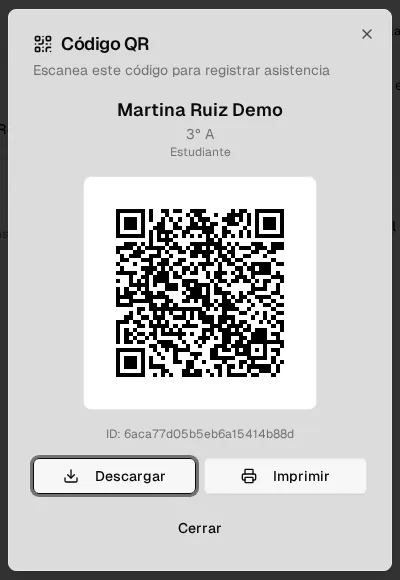
From the same dialog you can Download the code as an image or Print it: many families print it or save it on their phone so they don’t have to open the app every time.
From your phone
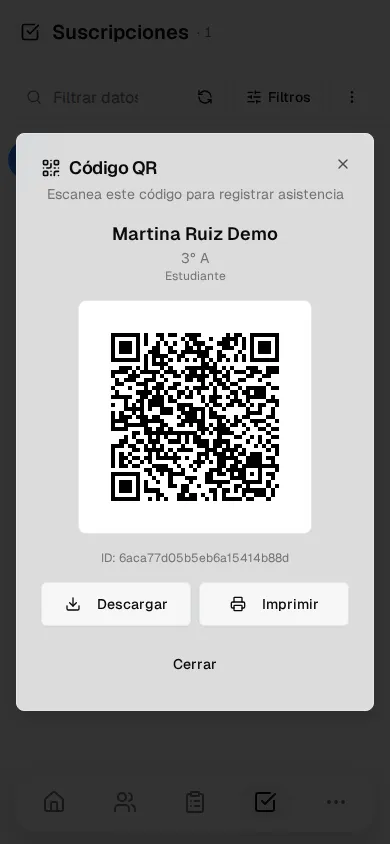
Section titled “From your phone”On your phone, the list of subscriptions is shown as cards: tap ⋯ on the card and then View QR Code. The code opens in full screen, ready to be scanned.
Other registration methods
Section titled “Other registration methods”Depending on your organization’s equipment, the entry can also be registered with:
| Method | How it works |
|---|---|
| QR | The staff scans the beneficiary’s QR code. |
| Barcode | A code linked to the beneficiary is read. |
| NFC | A card or badge is held up to the reader. |
| Facial recognition | A device identifies the face (only with the guardian’s consent). |
| Manual | The staff registers the entry by hand. |
What happens next
Section titled “What happens next”- You get the Attendance registered notification in the notification bell (for example, “Martina Ruiz Demo had lunch at 12:10”).
- Each service (breakfast, lunch, snack…) is registered only once per day: if someone tries to register the same service twice on the same day, the system rejects it.
- On Home, your usage for the month is updated. See My attendance history.