

Account & notifications
Notification channels
Where to see your Inspow alerts and how to choose whether they reach you in the app, by email, by WhatsApp or on your phone.
Inspow alerts you about what happens with your account —invoices, payments, attendance— through different notification channels:
| Channel | How it reaches you |
|---|---|
| In the app | Instantly, in the notification bell (on screen it appears as “Socket”). |
| At your account’s email. | |
| Important alerts by WhatsApp. It is off by default. | |
| Push | On your phone, even when the app is closed (if you use the Inspow app on your phone). |
The notification bell
Section titled “The notification bell”The bell, next to your name at the bottom left, shows a number with the unread alerts. When you press it you see the list, with two tabs: All and Archived. You can press View on each alert or Mark all as read. On your phone, the bell is in the More menu.
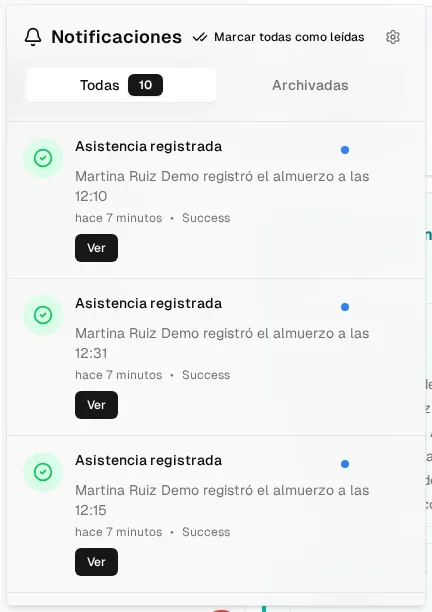
The alerts you’ll see most often:
- Invoice generated and Payment under review (when you upload a payment proof).
- Attendance registered, every time a service is registered (for example, your child’s lunch).
- Payments received or overdue and other notices from your organization.
Choose how to receive each alert
Section titled “Choose how to receive each alert”In your user menu, Notifications opens your preferences:
- General Notification Channels: turn each channel on or off for everything.
- Notification Preferences by Event: for each type of alert, choose through which channels you want to receive it. Only the columns of the channels you have turned on appear, and not every alert supports every channel.
Save with Update Notifications.
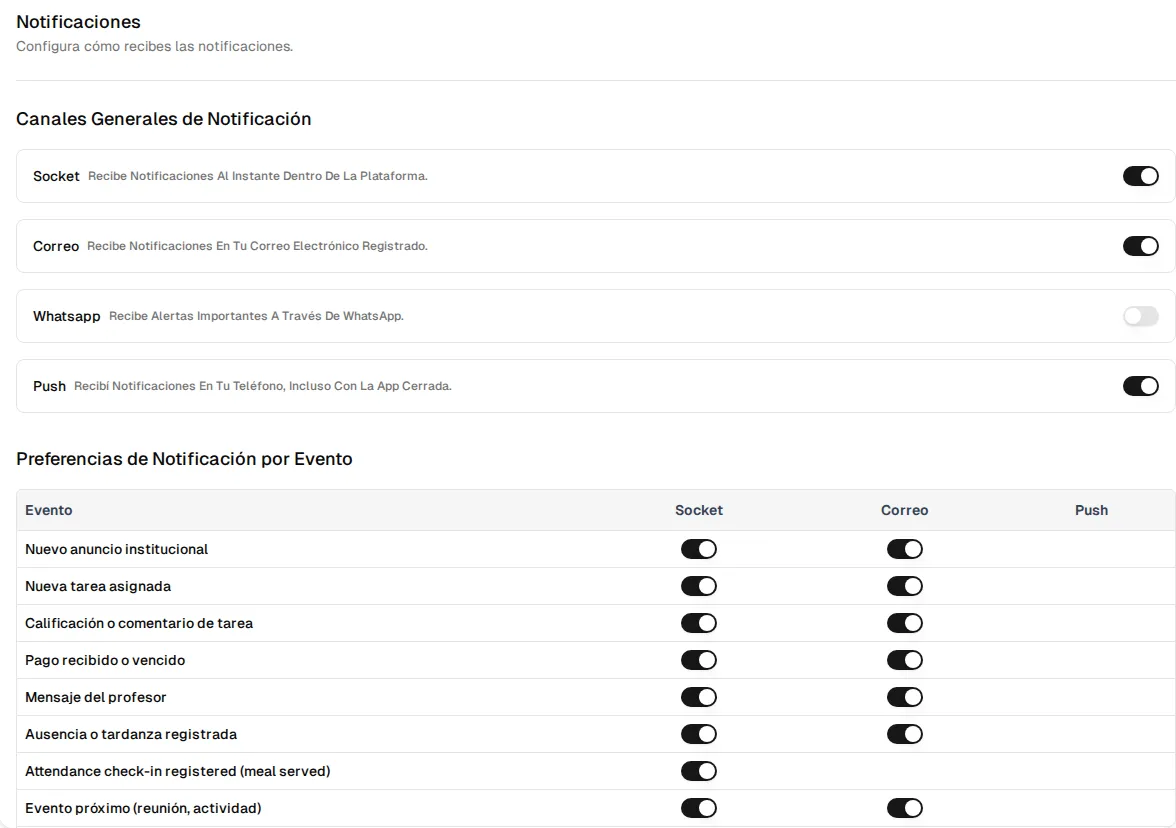
| Event | Possible channels |
|---|---|
| Payment received or overdue | App, email, WhatsApp |
| Absence or late arrival recorded | App, email, WhatsApp |
| Upcoming event (meeting, activity) | App, email, WhatsApp |
| Attendance registered (meal service) | App only |
| New institutional announcement · Message from the teacher · Schedule change · Document available | App, email |