

Attendance & menus
Check the meal menu
How to see the meal menu for the week, the month and the details of each day in Inspow.
If your organization offers meals, you can check the Meal Menu from your account: on Home and in the Meal Menus section of the menu.
The menu on Home
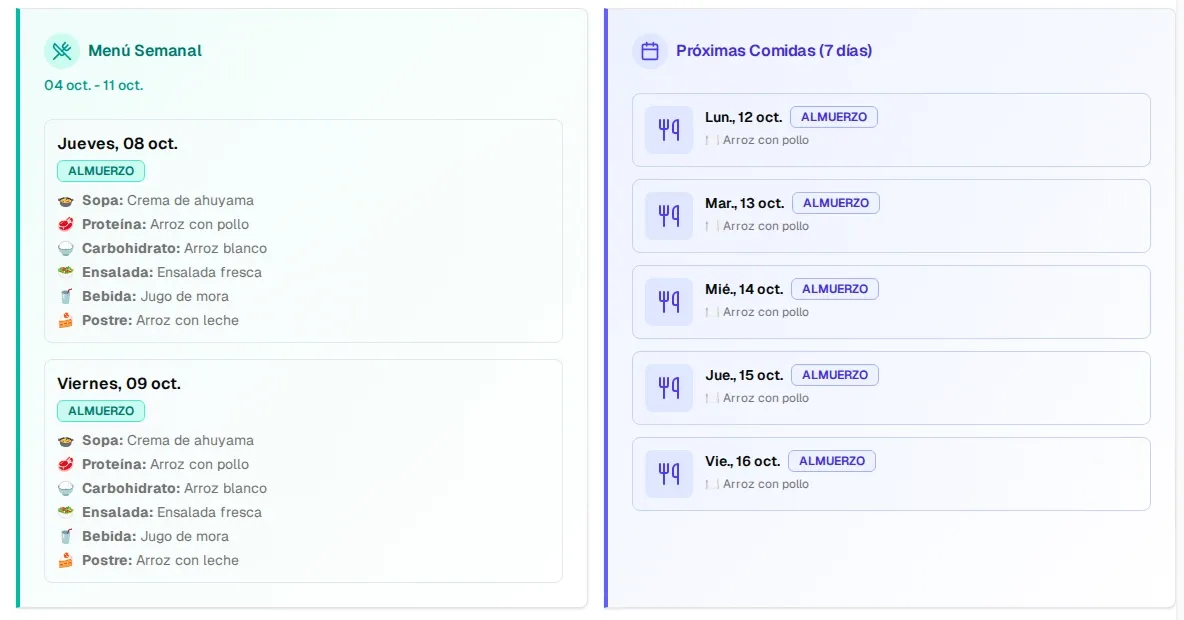
Section titled “The menu on Home”On Home you have two cards:
- Weekly Menu: the week’s menus, day by day, with each dish (soup, protein, carbohydrate, salad, drink, dessert).
- Upcoming Meals (7 days): what’s coming up in the next week.
The Meal Menus section
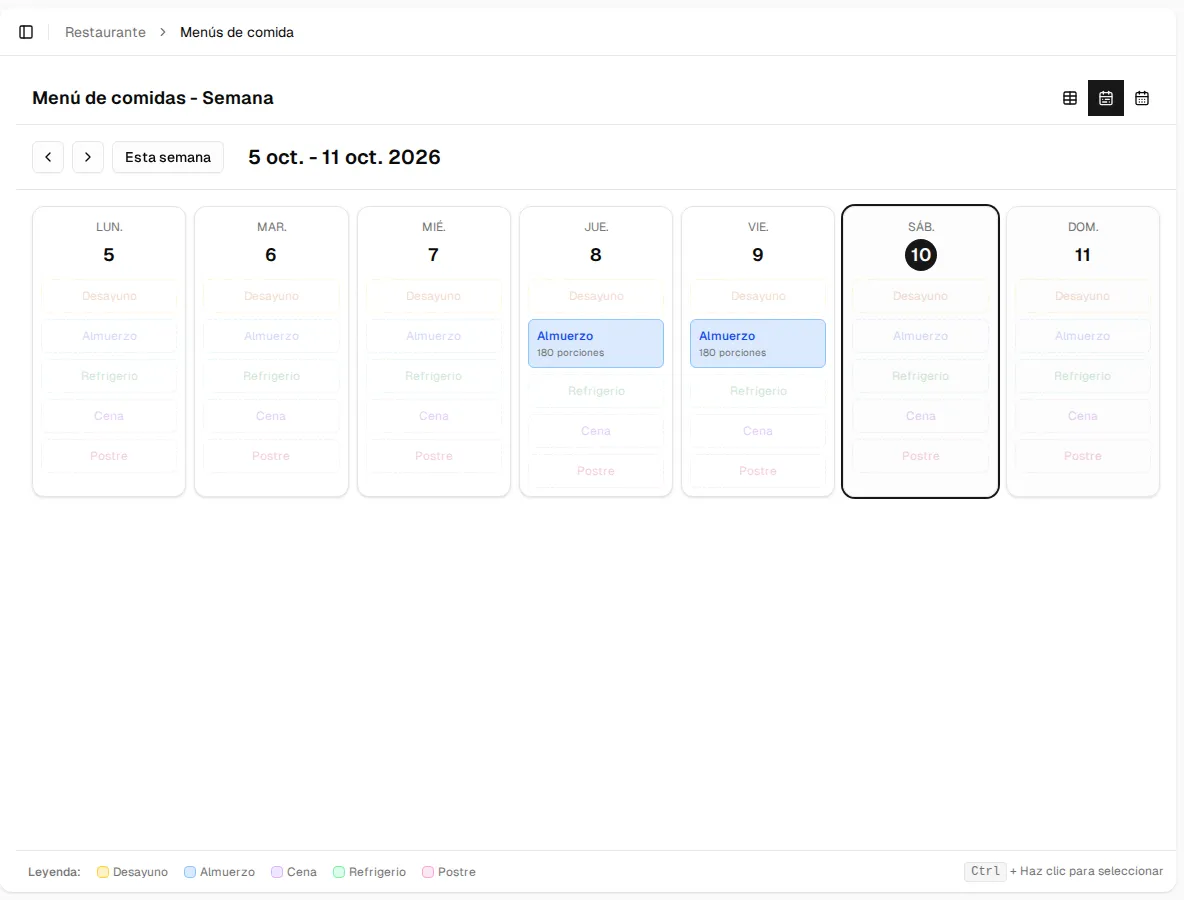
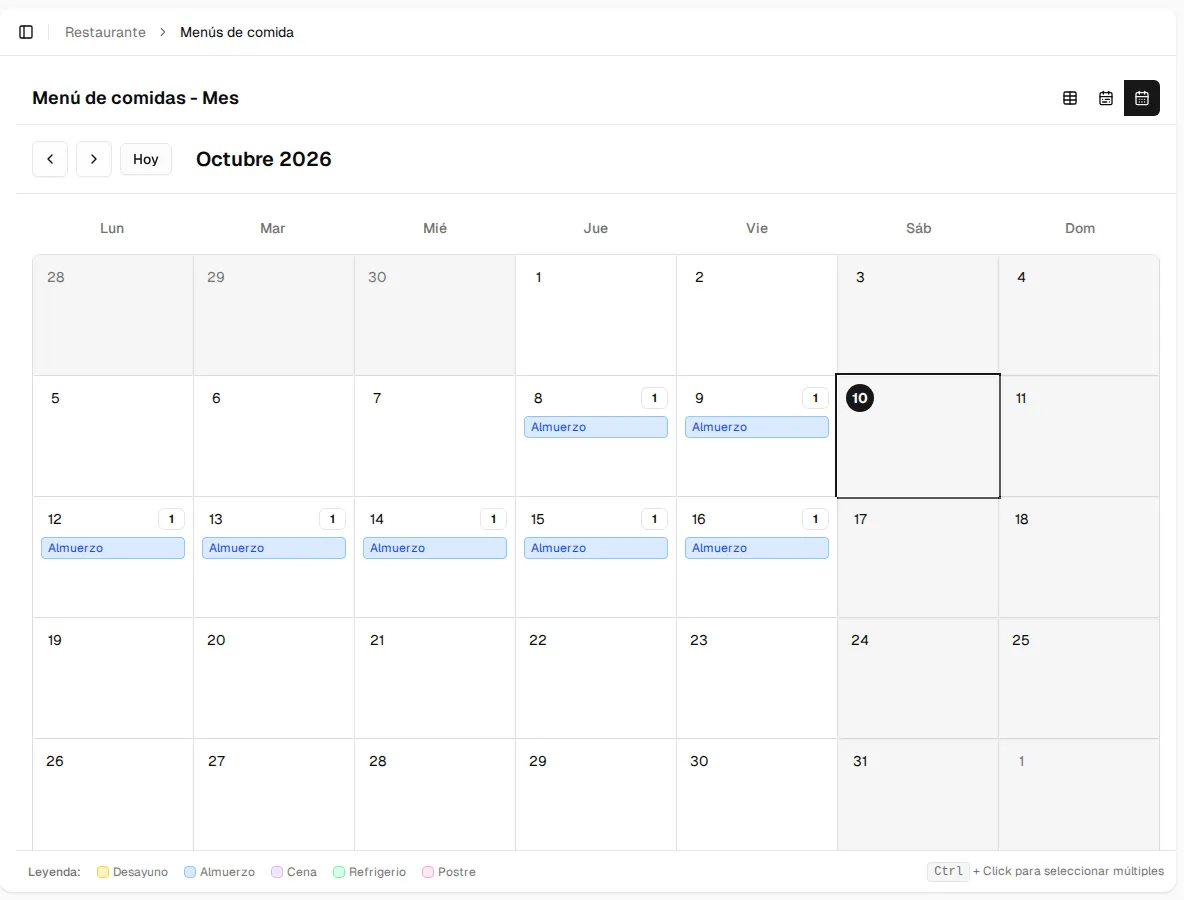
Section titled “The Meal Menus section”In Meal Menus you choose how to see the menus with the buttons at the top right:
| View | What it shows |
|---|---|
| Table | One menu per row: date, meal type and servings. |
| Week | The 7 days of the week with each meal type. Move with the arrows or go back with This week. |
| Month | The month’s calendar, with a colored label for each meal type (see the Legend below). Go back to the current month with Today. |
The details of a day
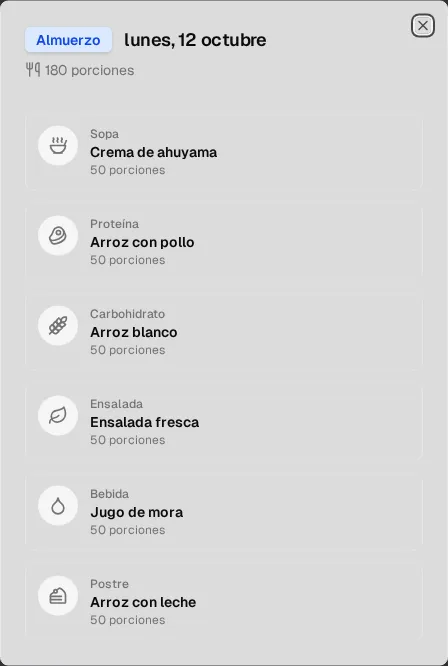
Section titled “The details of a day”Press a menu (for example, Lunch in the week or month view) to see its details: the meal type, the date and each dish with its category.
Meal types
Section titled “Meal types”The menu can include breakfast, lunch, snack, dinner and dessert, each with its own color on the calendar.